Understanding delivery zone levels
Besides the delivery regions that can be preset for all the business within your organization, you can also set delivery zones for each pickup location.
Setting up delivery regions for logistics
Setting up delivery regions for logistics
You can find all the information related to creating and editing delivery zones in the following document Setting up delivery regions
Delivery zone for marketplace
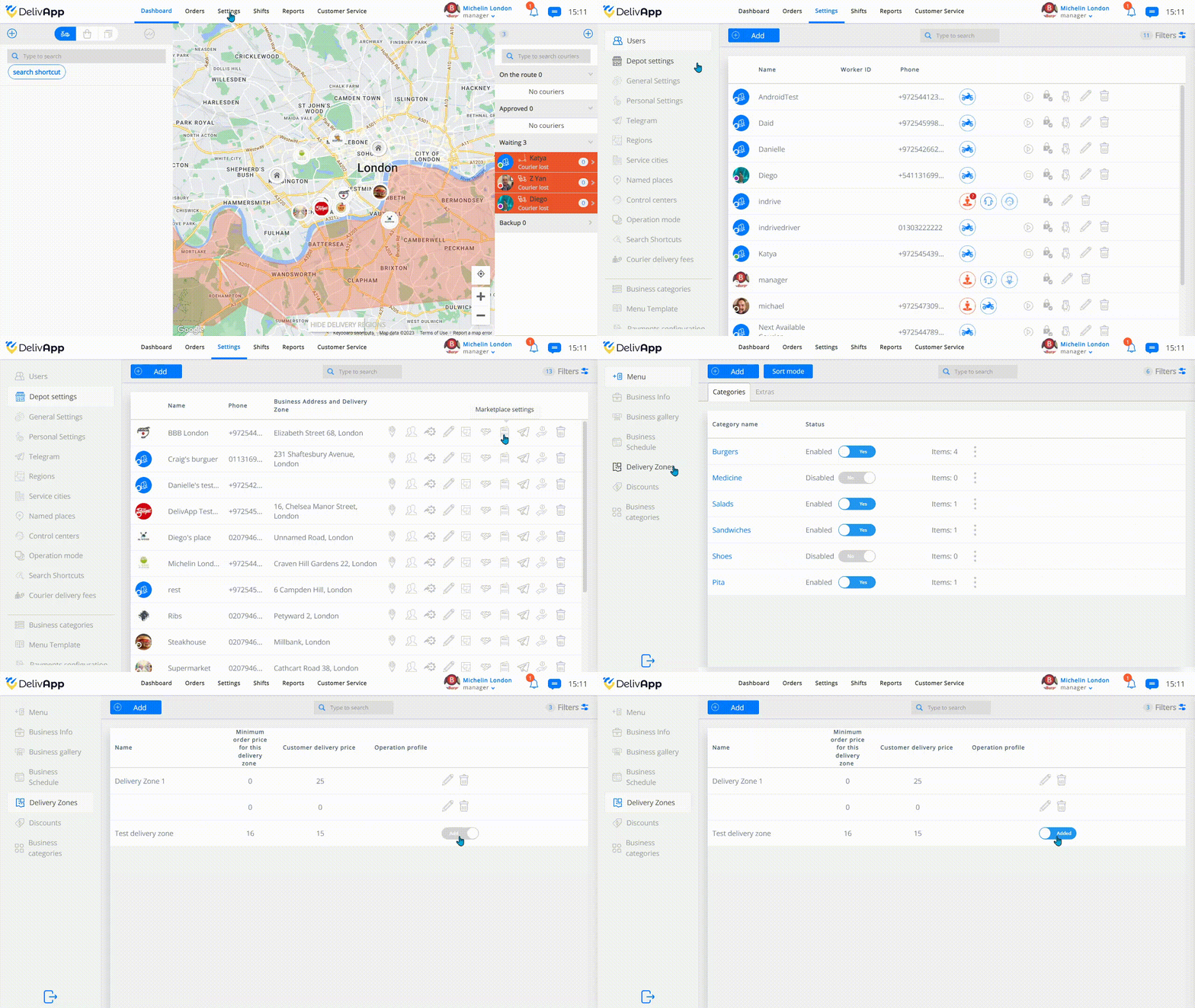
To edit the delivery zones go to Settings >> Depot settings >> Marketplace Settings >> Delivery Zones.
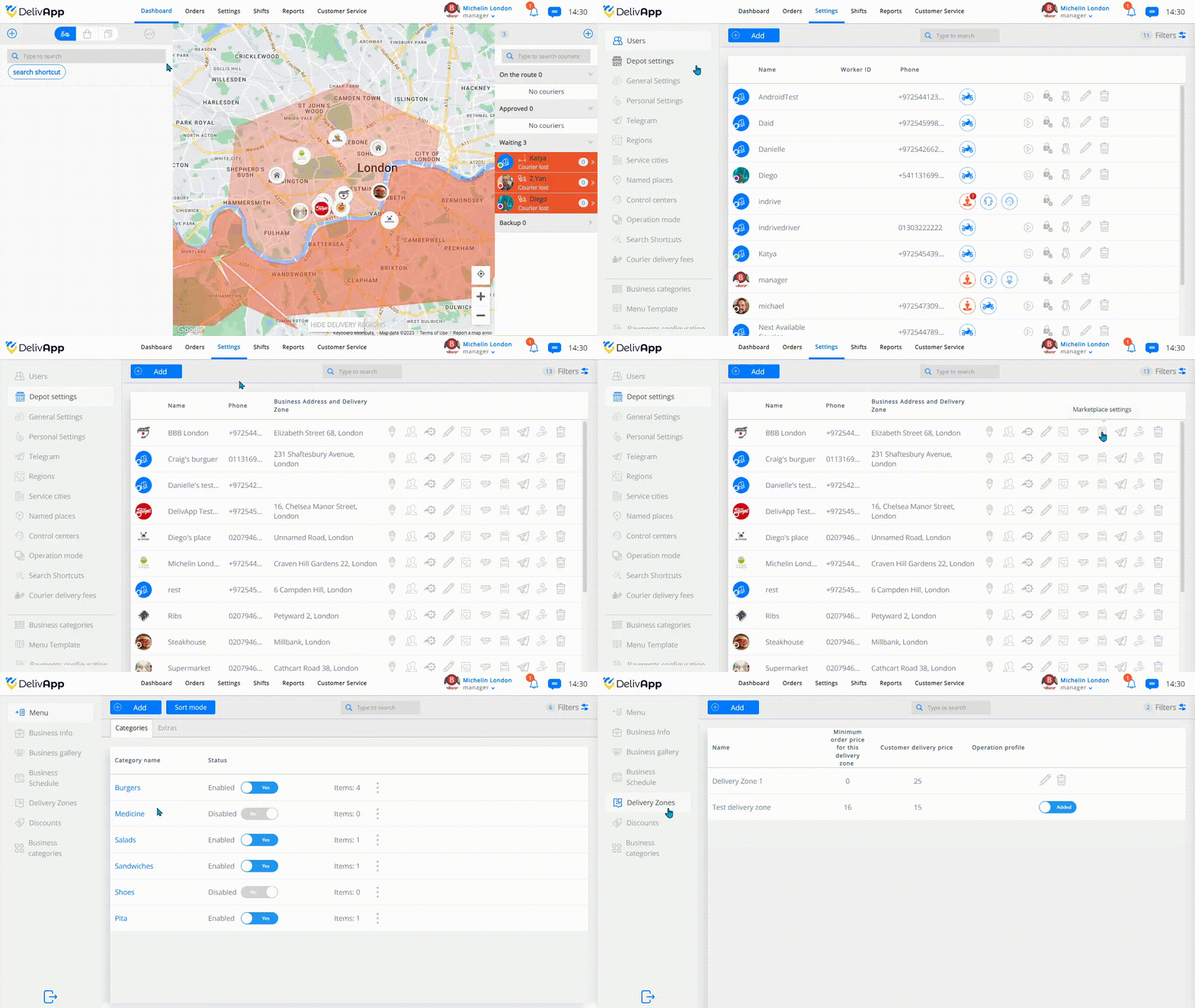
Once you are in the Delivery Zone section, you can add a new Delivery Zone or edit an already existing one.
When you click on the add button, you will be requested the following information to create the Delivery Zone:
Name: for the Delivery Zone
Customer delivery price: The fee that will be charged to the clients within this zone
Use this price for mixed mode: This price will apply when the Merchant Delivery Cost Settings are set in mixed mode
Operation profile: If you’ve created operation modes or profiles for your pickup locations, you can select them here
Minimum order price for this Delivery Zone: No order will cost less than the price specified here within this region
Enabled: The Delivery Zone is available
Type:
Circle: the area will be defined by a radius zone
Polygon: The are will be defined more accurately by selecting specific borders
Reference: The area will be equivalent to an existing region
After filling out all the fields, just hit the save button and that's it!
Delivery zone template
You can also create templates of Delivery Zones that will only need to be activated in the pickup locations that you select. To create a Delivery Zone Template, go to Settings>> Delivery Zone Template >> Add
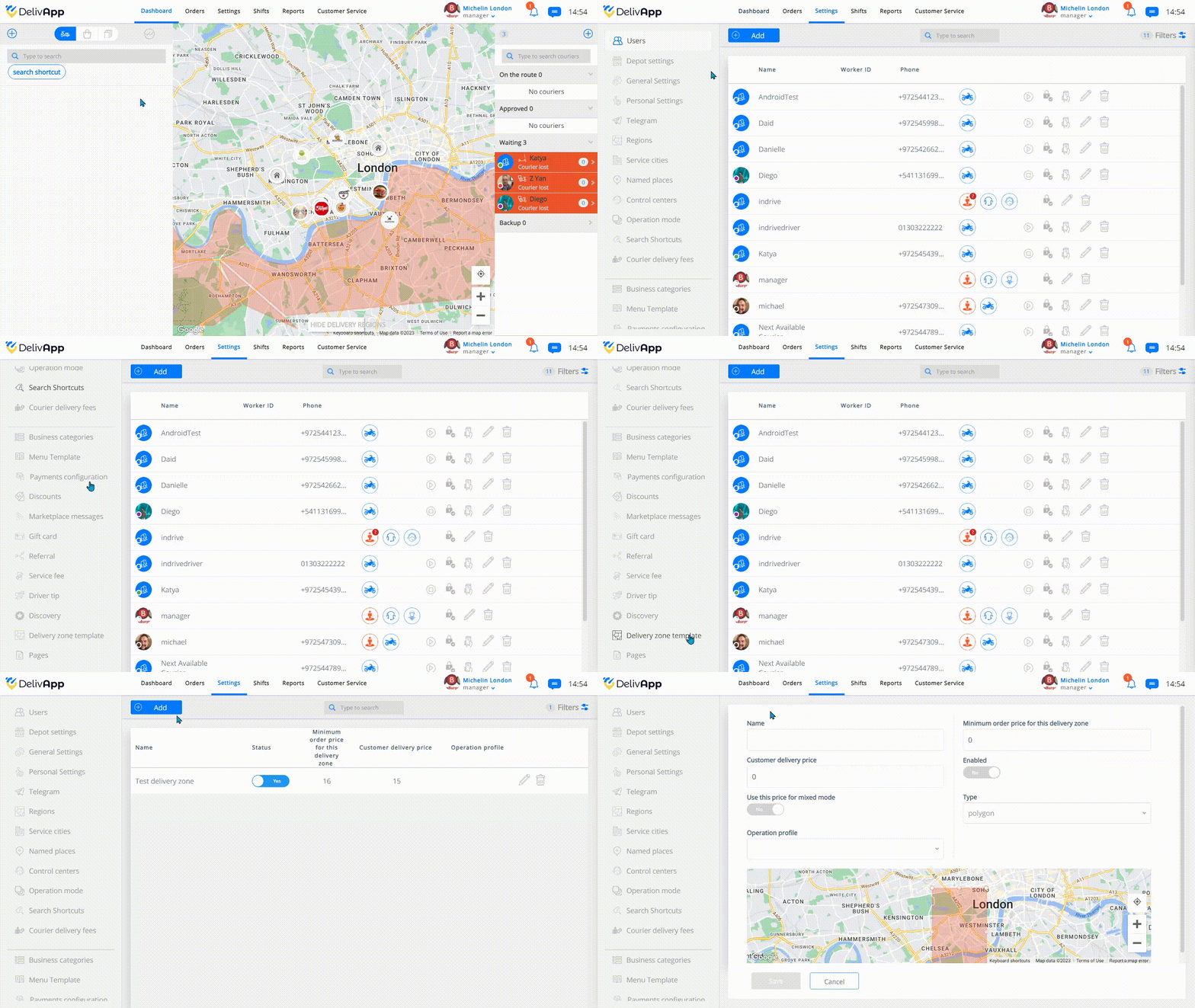
Then, you will be asked to fill out the same information for a regular Delivery Zone. Save your template and then go to any pick up location and activate it in the Delivery Zone tab.