Setting up delivery regions
Regions are delivery areas for your business. Within each region, you can set up dedicated delivery costs for merchants and (adding soon!) - fees for couriers. An order that comes from outside your delivery regions, may be highlighted (if enabled in the General Settings) and treated manually.
Understand how delivery regions work
1. You must have at least one region to operate the system
2. You are not limited in the number of regions you can create
3. Regions should not overlap, otherwise, the system will not be able to attribute the orders correctly and calculate the prices accordingly.
Create a new region
In order to create a region, click on the Settings tab on the upper navigation panel, then click on Regions on the left sidebar (screenshot 1).
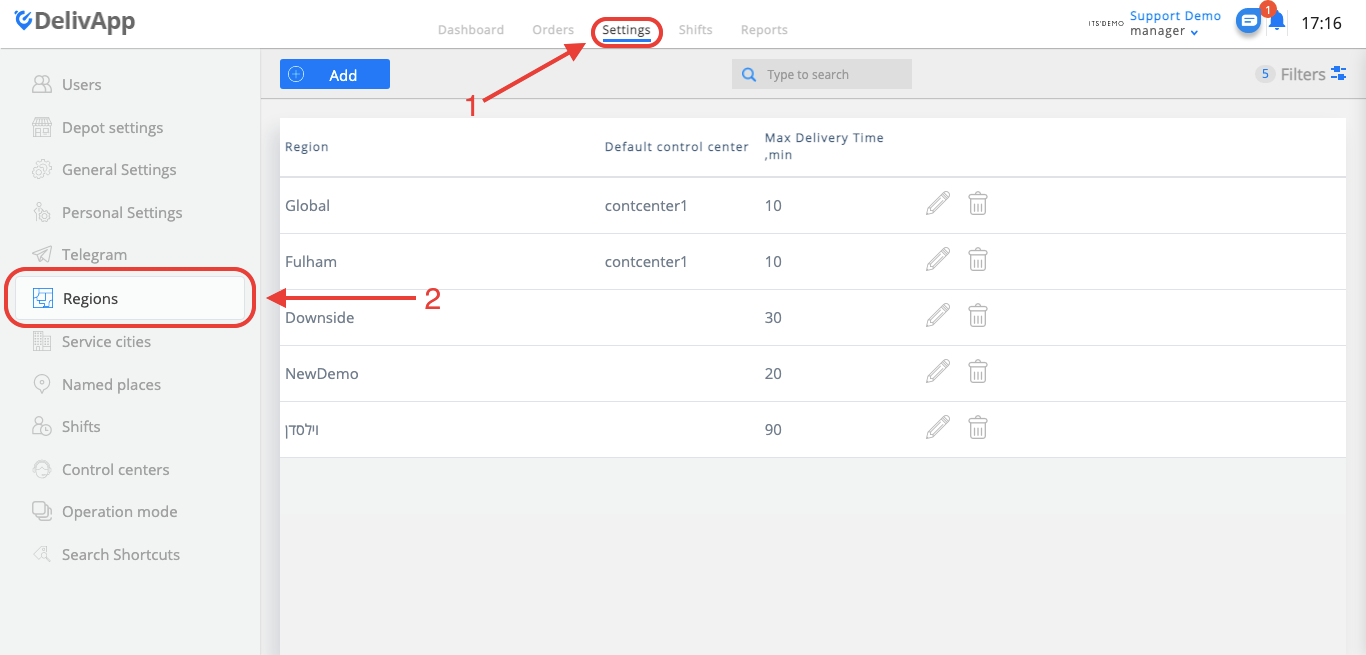
(screenshot 1)
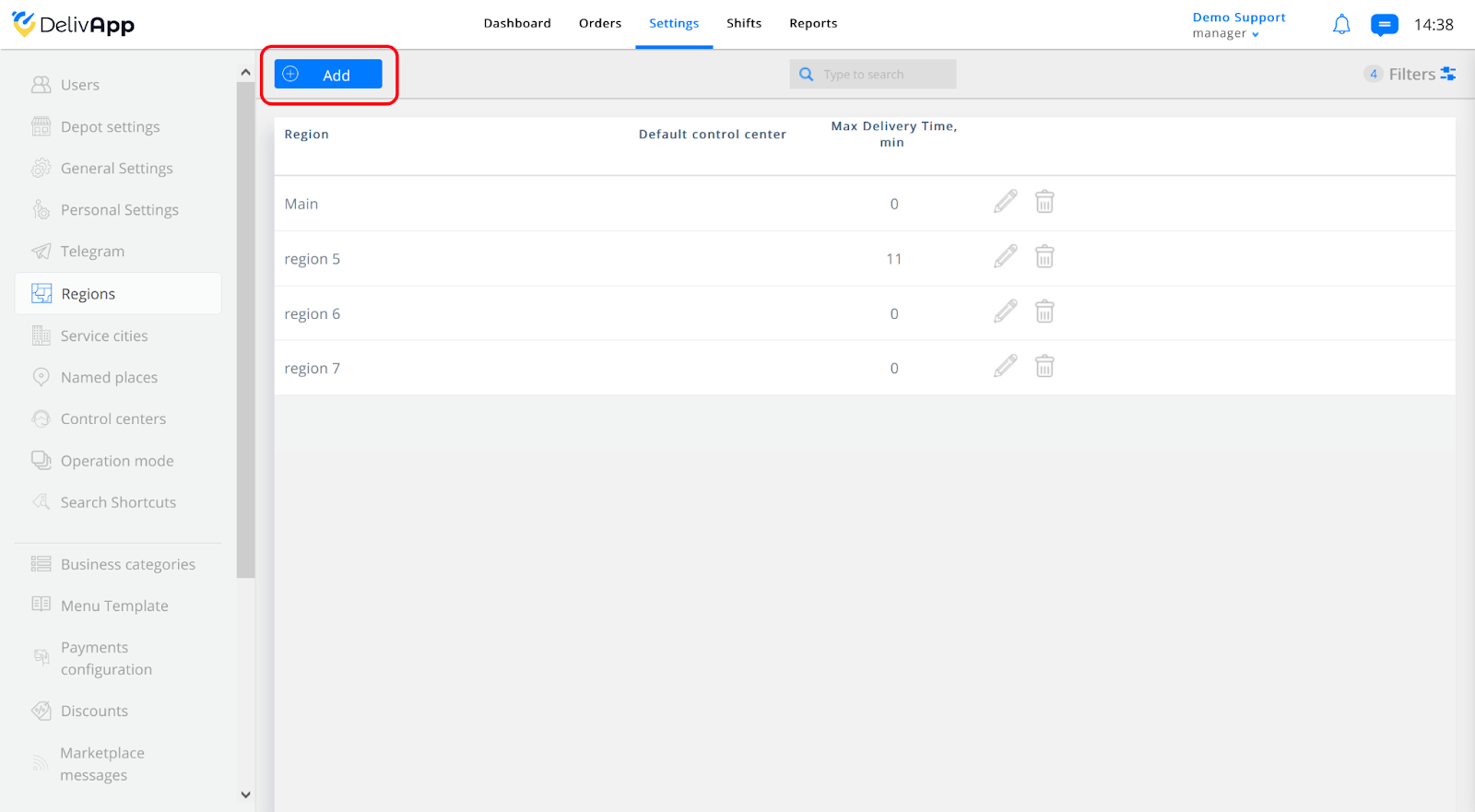
On the Regions screen, press Add to create a new region.
(screenshot 2)
Click on the Add button (screenshot 2) to add a new region.
Set up the region parameters
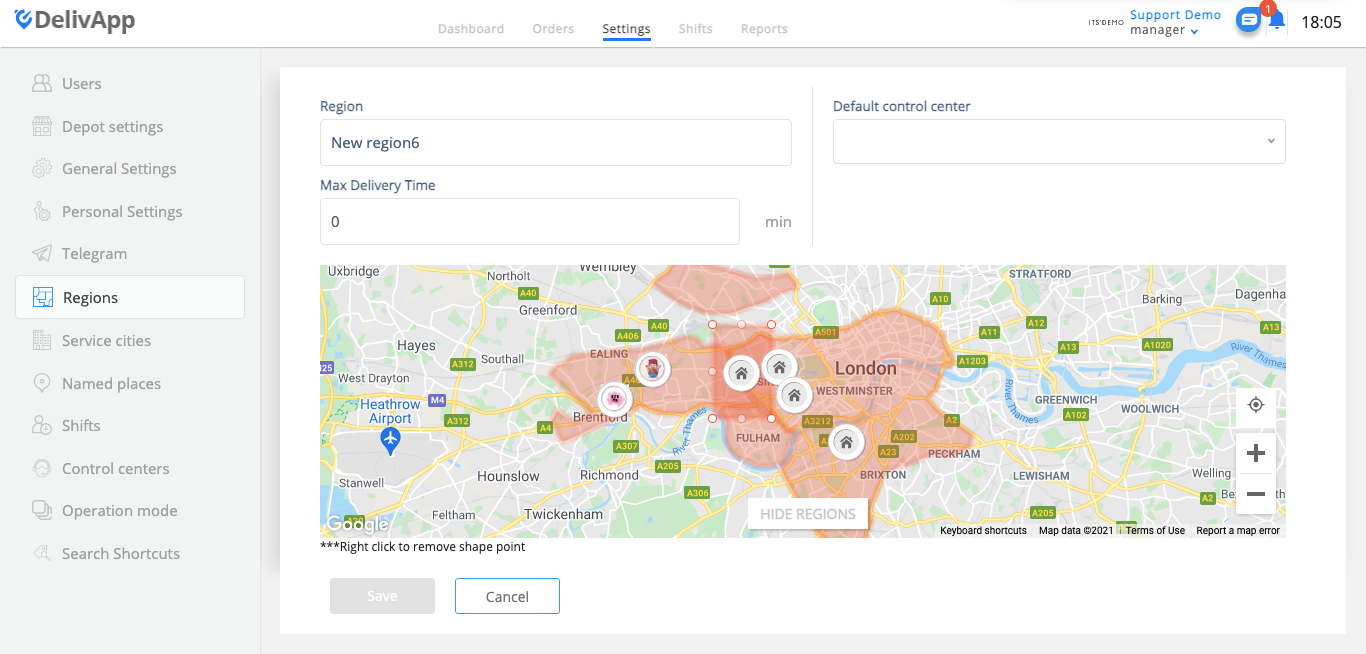
On the opened screen, fill in all relevant information in the following fields (screenshot 3):
Region (region name)
Default control center (in case you are using Control Centers)
Max. delivery time (maximum time for delivery in this region)
(screenshot 3)
Draw the region boundaries
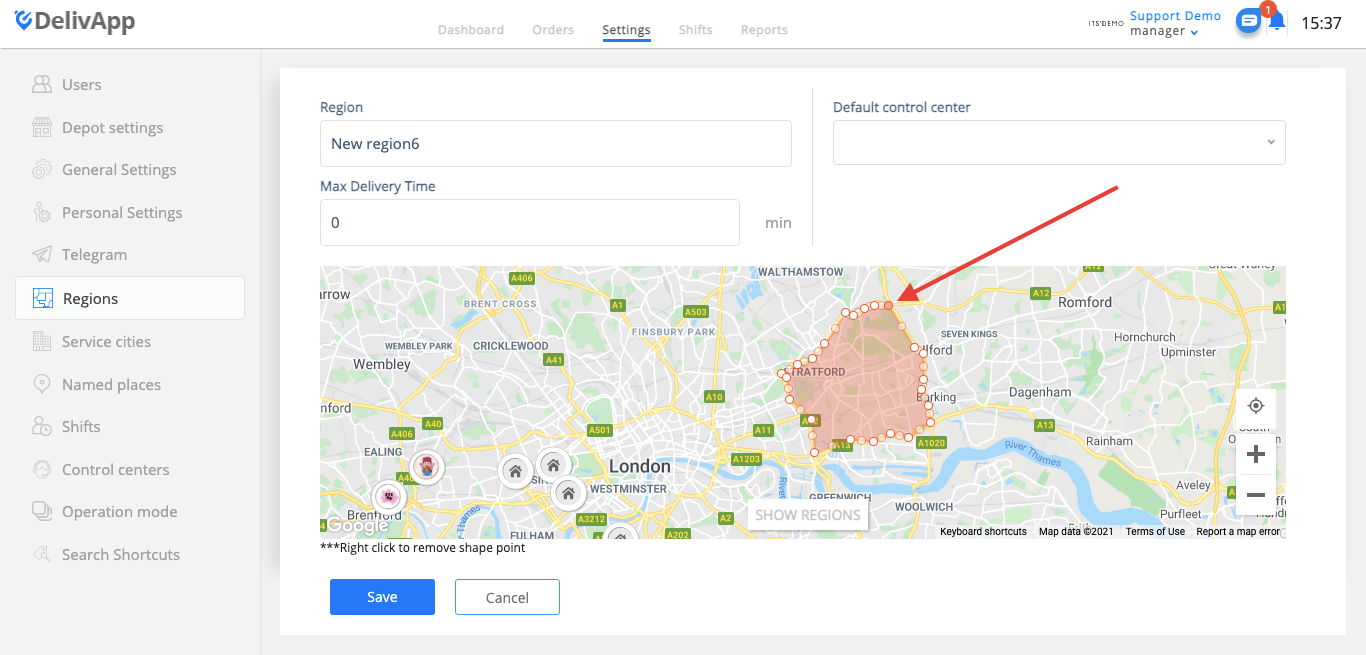
Once the information is added, please mark the boundaries of the region on the map.
To do this, point the cursor at the dots on the region shape (screenshot 4) and - once they are highlighted - move them as needed. As you move the dots, more dots appear to help you make your region shape as precise as needed.
*You can hide already created regions on the map to expand the shape more comfortably.
(screenshot 4)
Once the region area is finalized, click on the Save button.
Set regional delivery prices
Now you can use your regions for setting up the delivery prices for your merchants. Read the Merchant delivery cost settings guide.