How to edit users
Updated Jun 16, 2025·1 min read
You can edit user data, if changes need to be done.
In order to edit users information, click on the “Settings” tab on the upper navigation panel, then click on the “Users” on the left sidebar (screenshot 1).
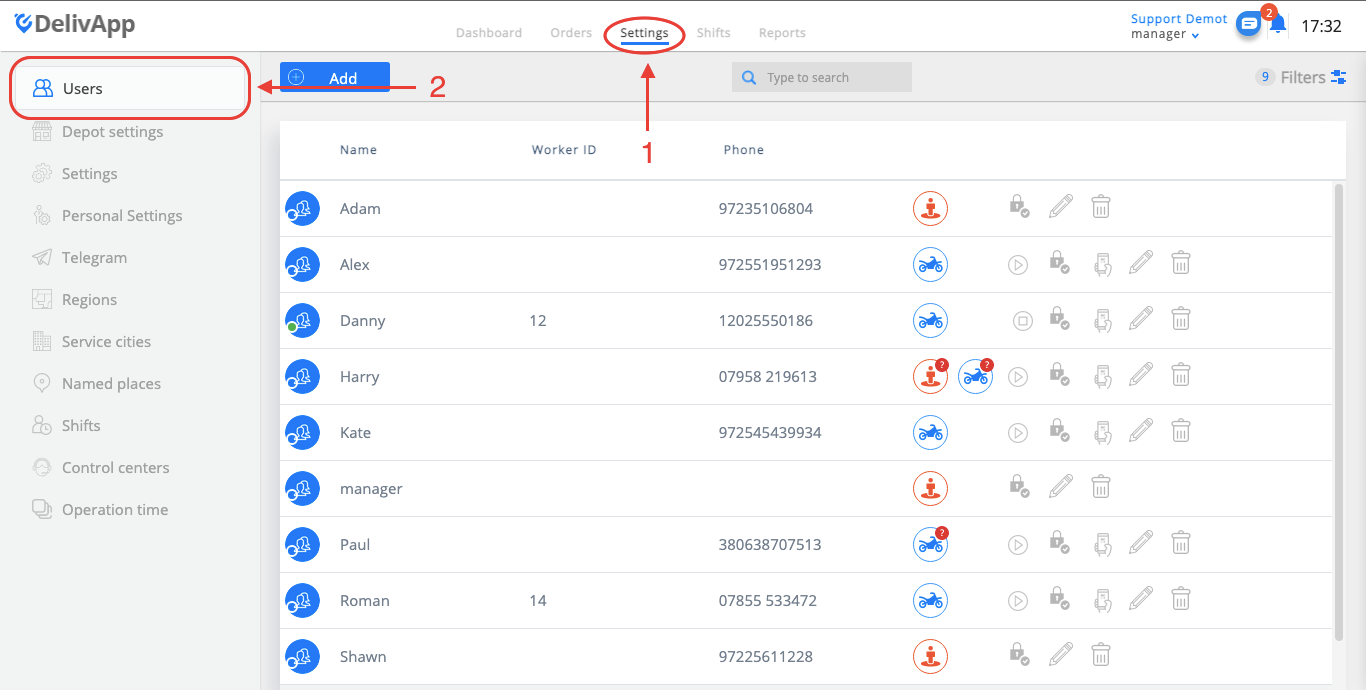
(screenshot 1)
At the “Users” screen, you will see already existing users. Click on the “edit” button in order to edit user (screenshot 2).
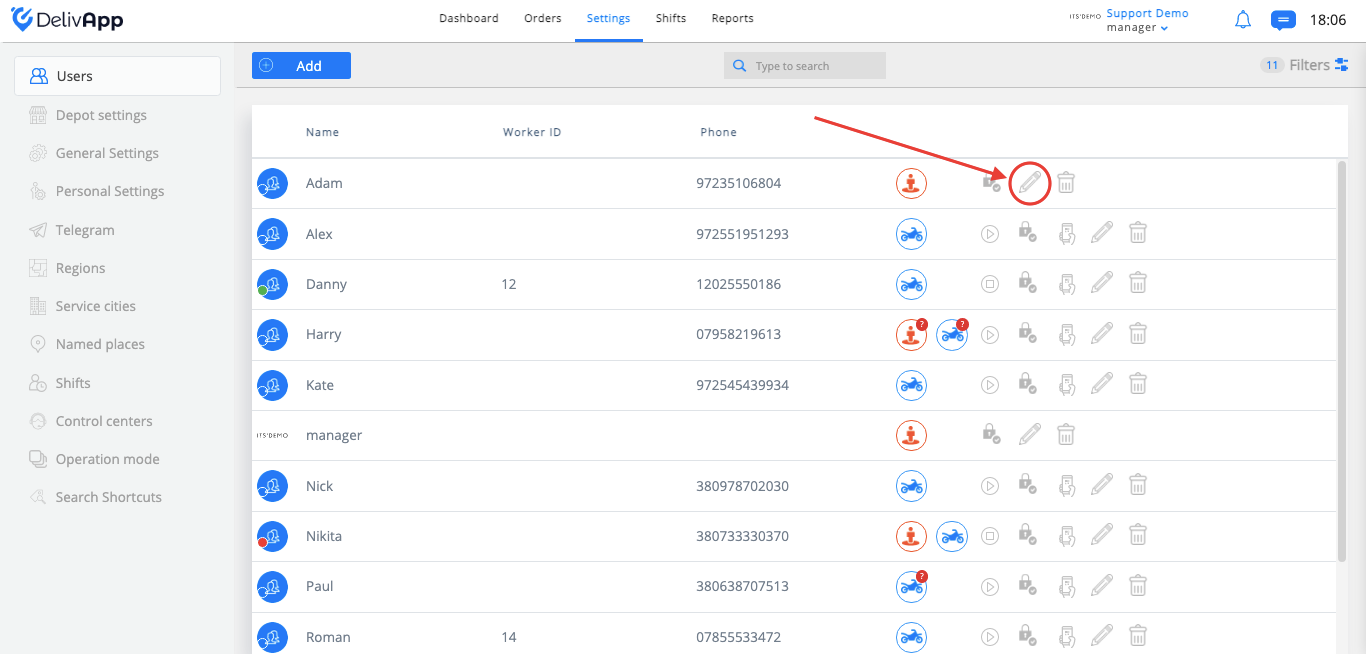
(screenshot 2)
The user edit screen is the same as the user creation screen (screenshot 3).
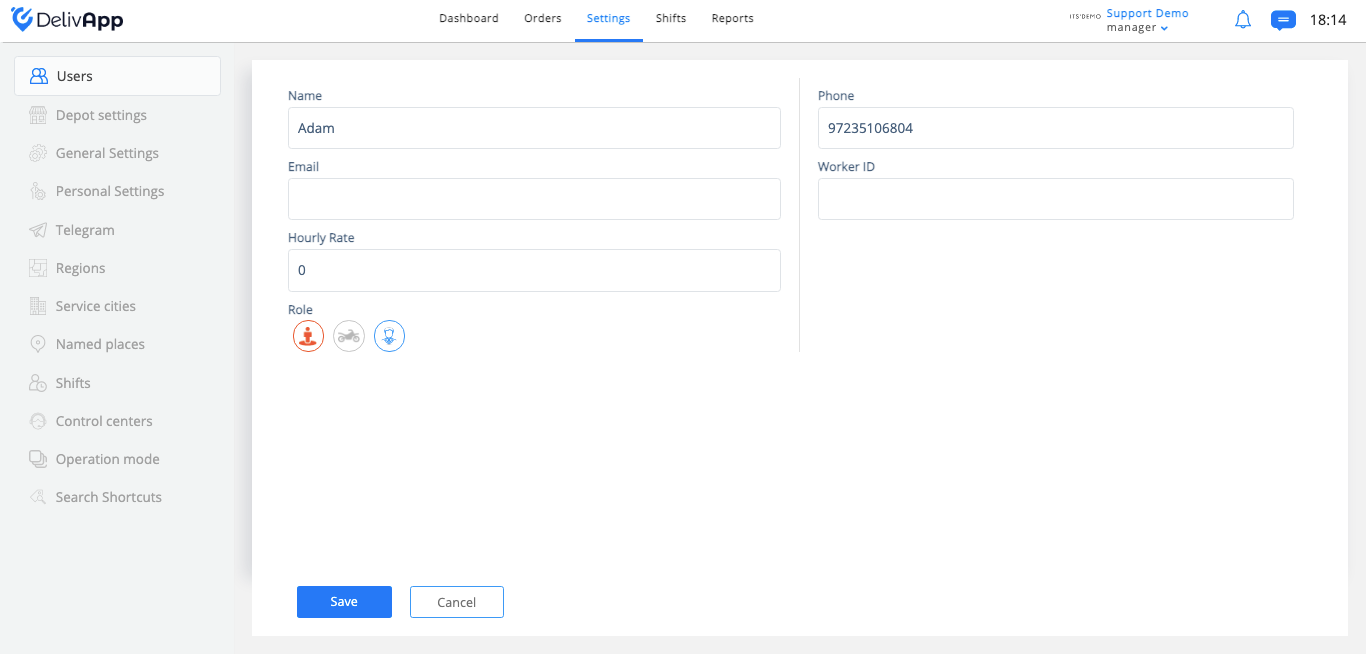
(screenshot 3)
Once all the data was changed, click on the “Save” button.
Was this article helpful?