How to delete user
Updated Jun 16, 20251 min read
In case the user is no more relevant for your account, you can remove this user from the system.
Click on the “Settings” tab on the upper navigation panel and then click on the “Users” from the left sidebar (screenshot 1).
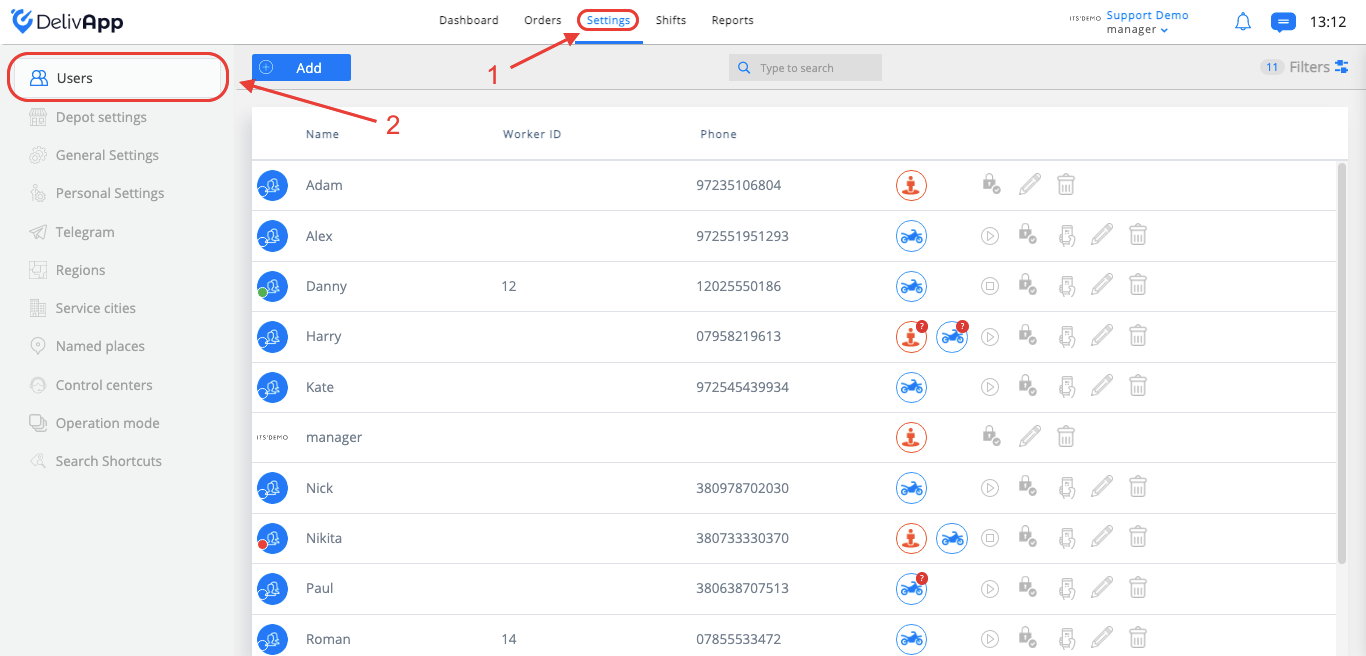
(screenshot 1)
Find the user in the list of users you want to delete and click on the remove icon (screenshot 2).
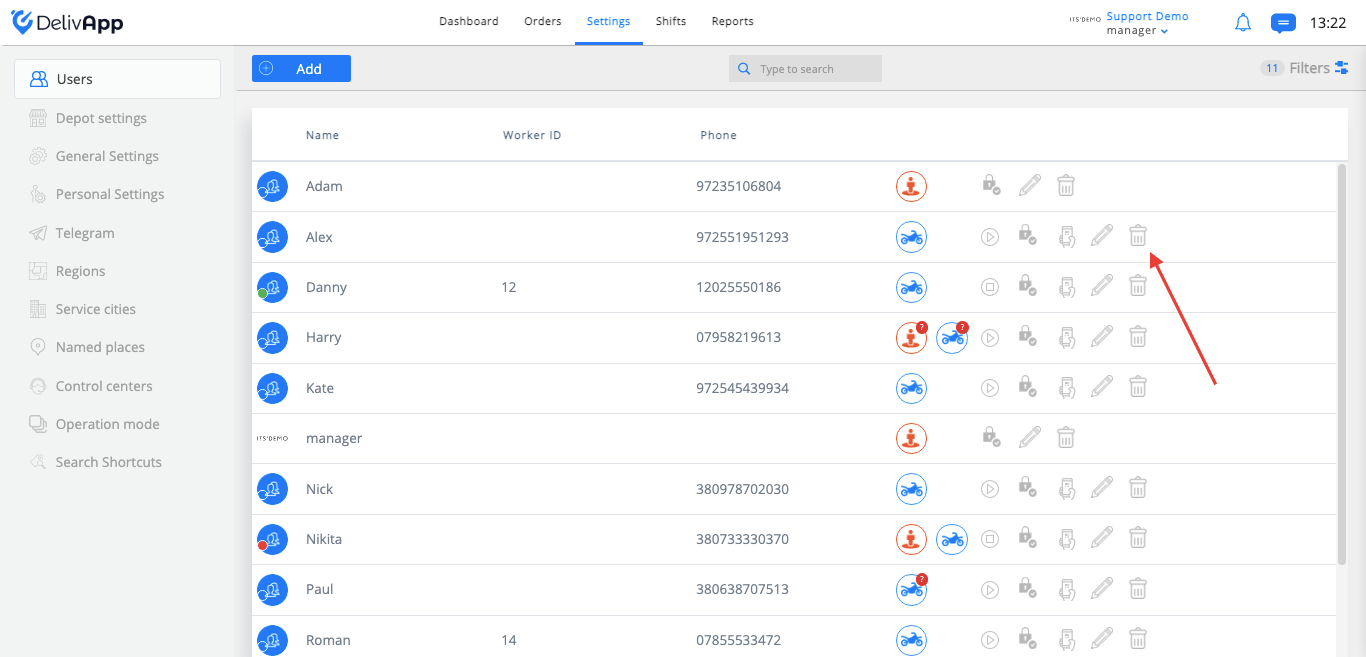
(screenshot 2)
Click on the “sure” button and the user will be deleted from the system (screenshot 3).
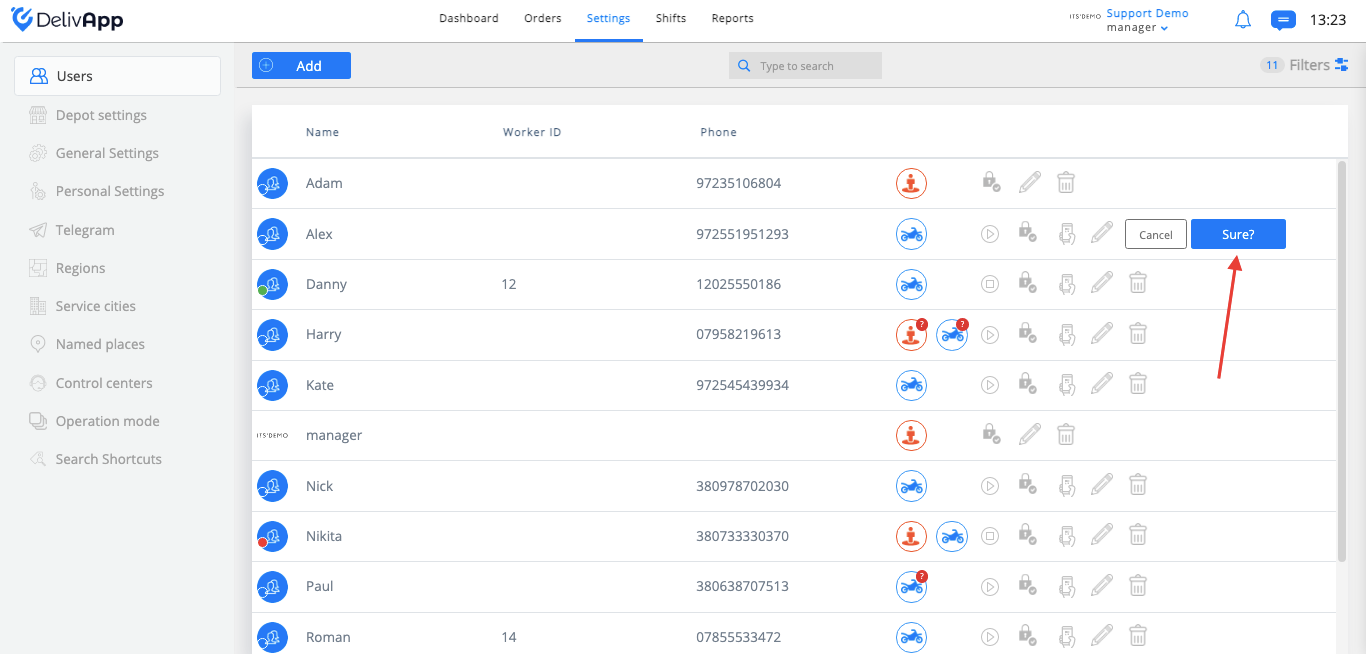
(screenshot 3)
Please note that the action cannot be rejected.
Was this article helpful?