How orders are sorted in the orders list
Updated Jun 15, 20251 min read
When you have several orders, the system will sort them by their creation time, where the order at the bottom is the oldest one and the order at the top is the newest one (screenshot 1).
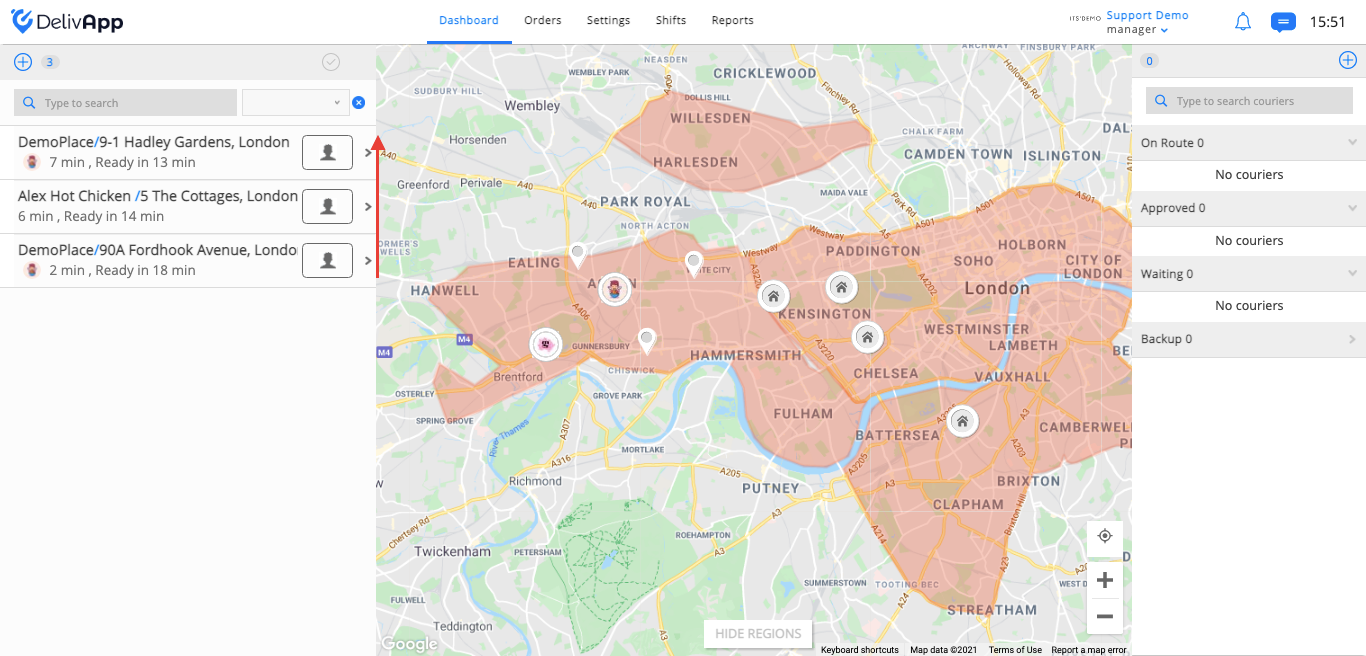
(screenshot 1)
On the order card, you can also find information about the time when the order was created and when it will be ready (screenshot 2).
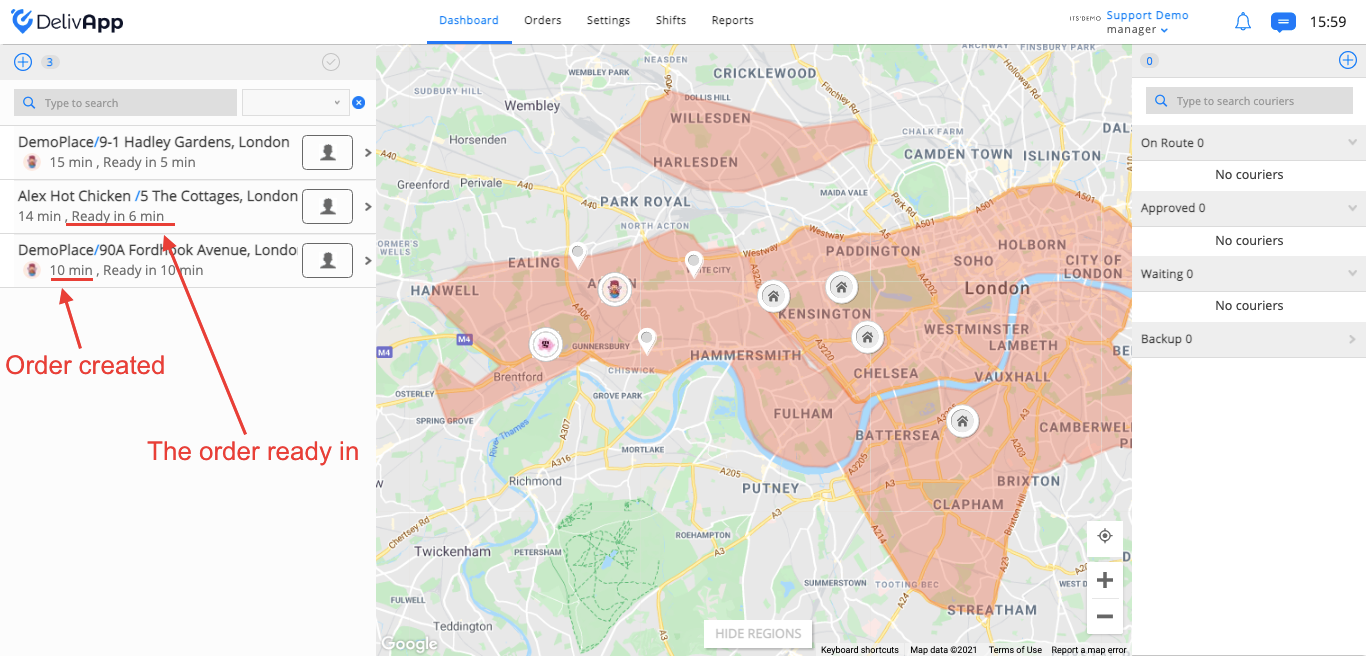
(screenshot 2)
Sort by readiness
If you want to sort orders in a different way, go to Settings on the upper navigation panel and then click on Personal Settings.
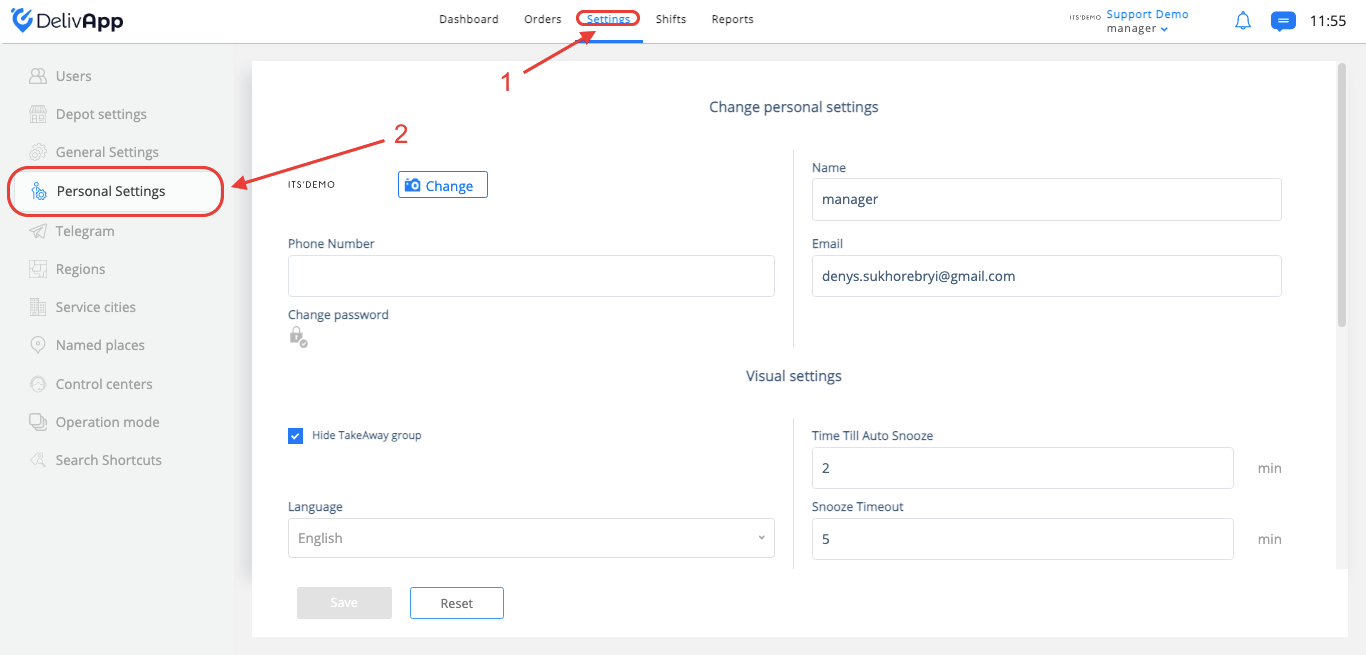
Then scroll down to System Preferences and turn on the toggle Sort orders based on ready for delivery time.
**
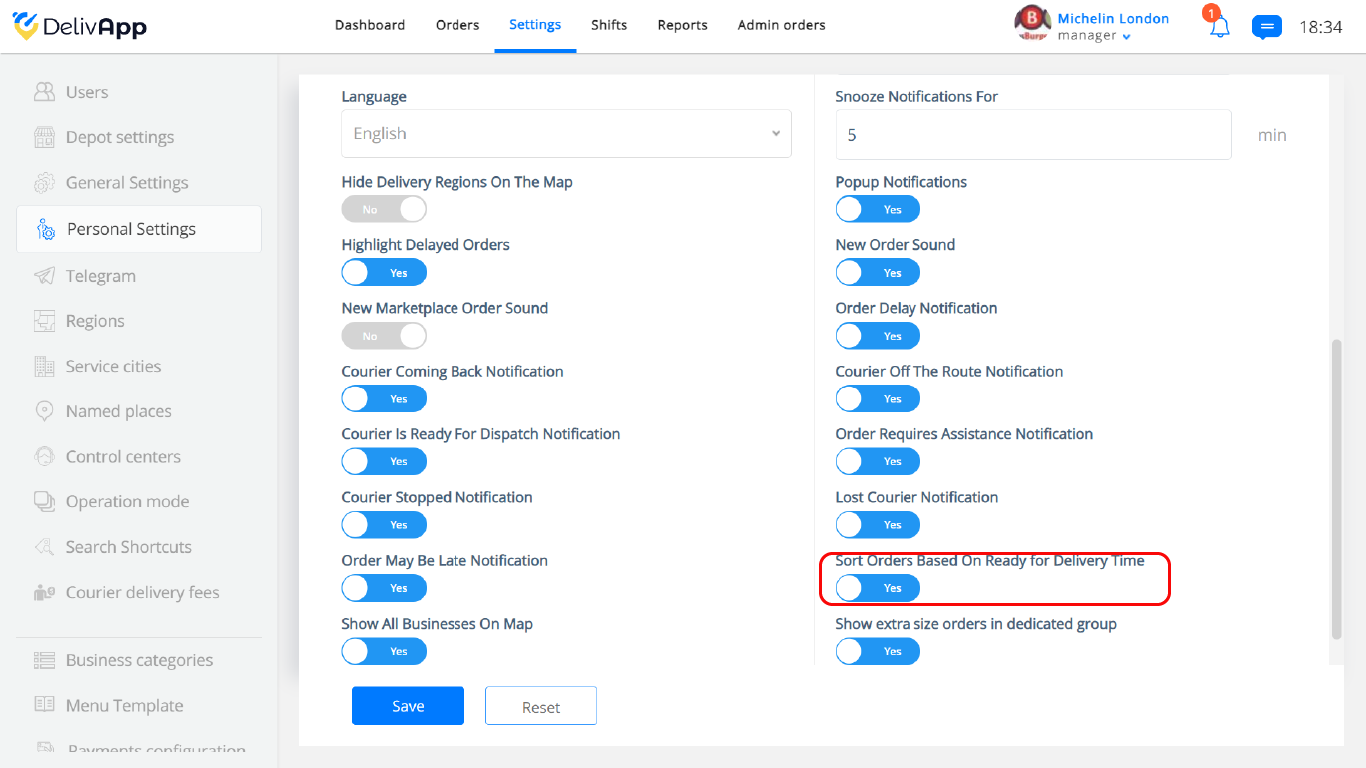
**
Now your orders will be sorted from top to bottom by the ones who take the most to be ready.
Was this article helpful?