Creating a courier user
In order to create a courier user in your DelivApp account, you can watch this video or follow the guide below.
Click on the Settings tab on the upper navigation panel, then click on the Users on the left sidebar (screenshot 1).
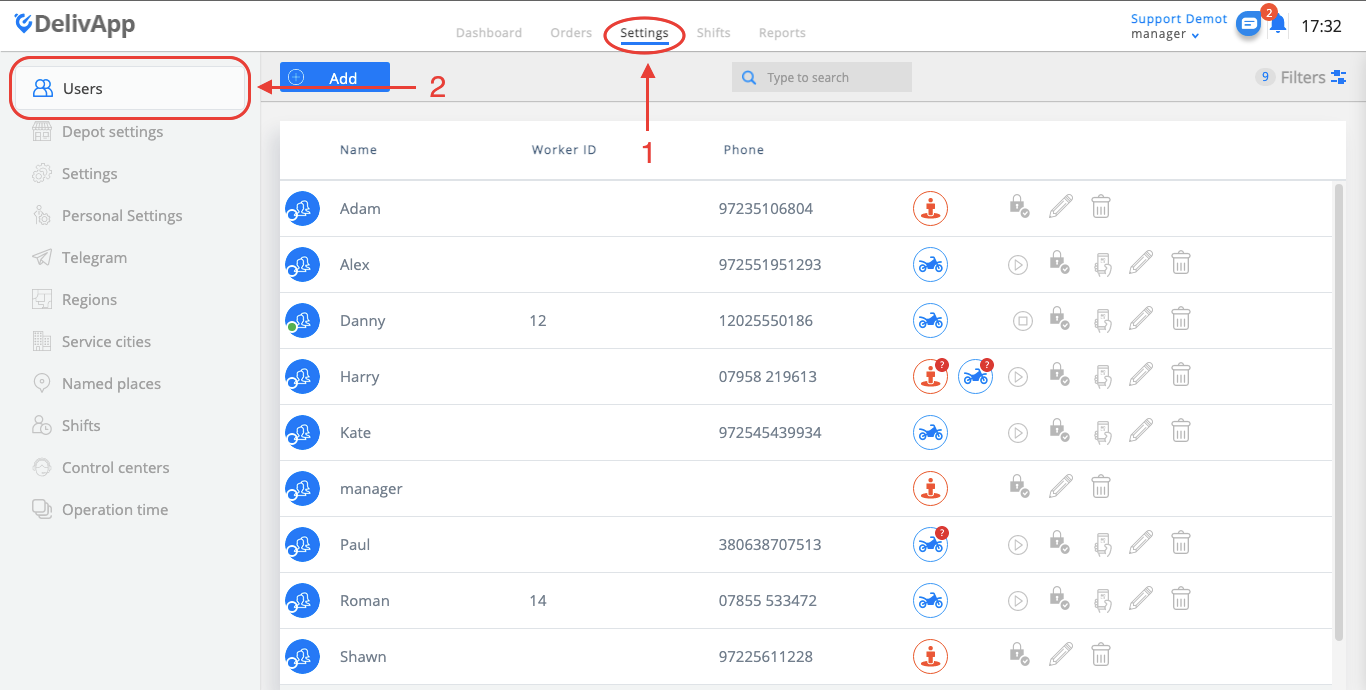
(screenshot 1)
On the Users screen, click on the add button in order to add a new user (screenshot 2).
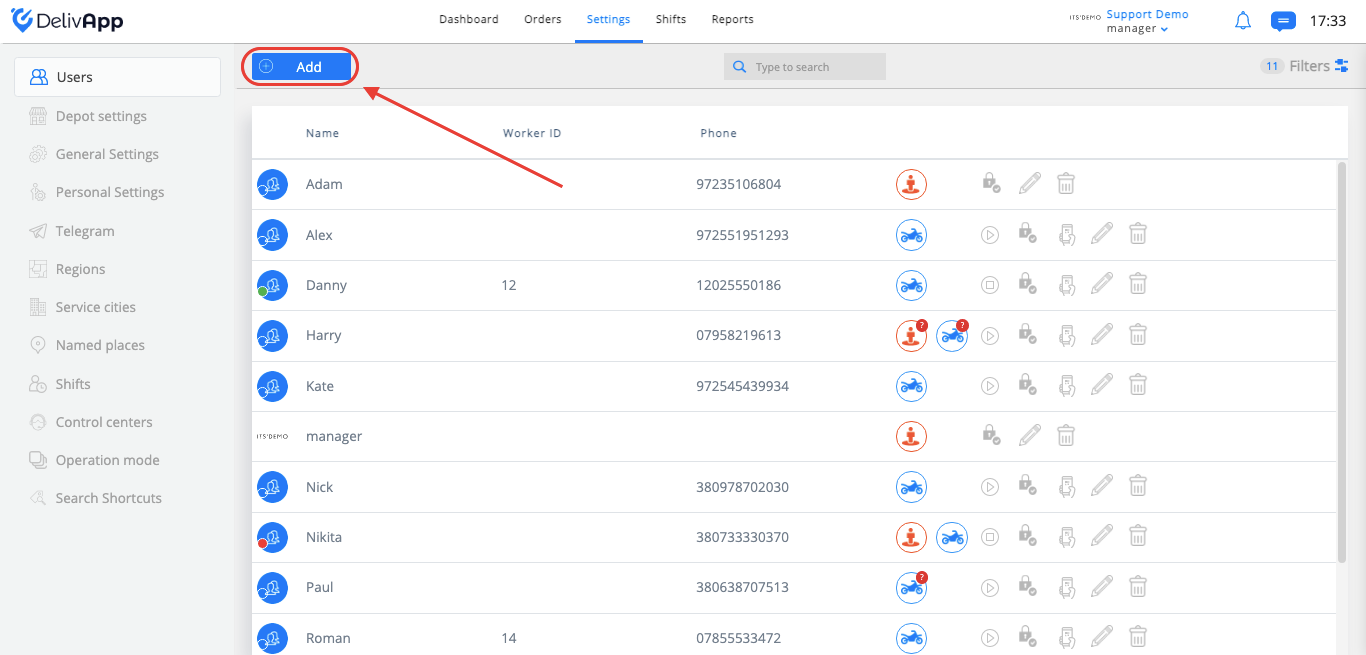
(screenshot 2)
On the newly opened screen, choose the courier user role, and fill in the following fields (screenshot 3):
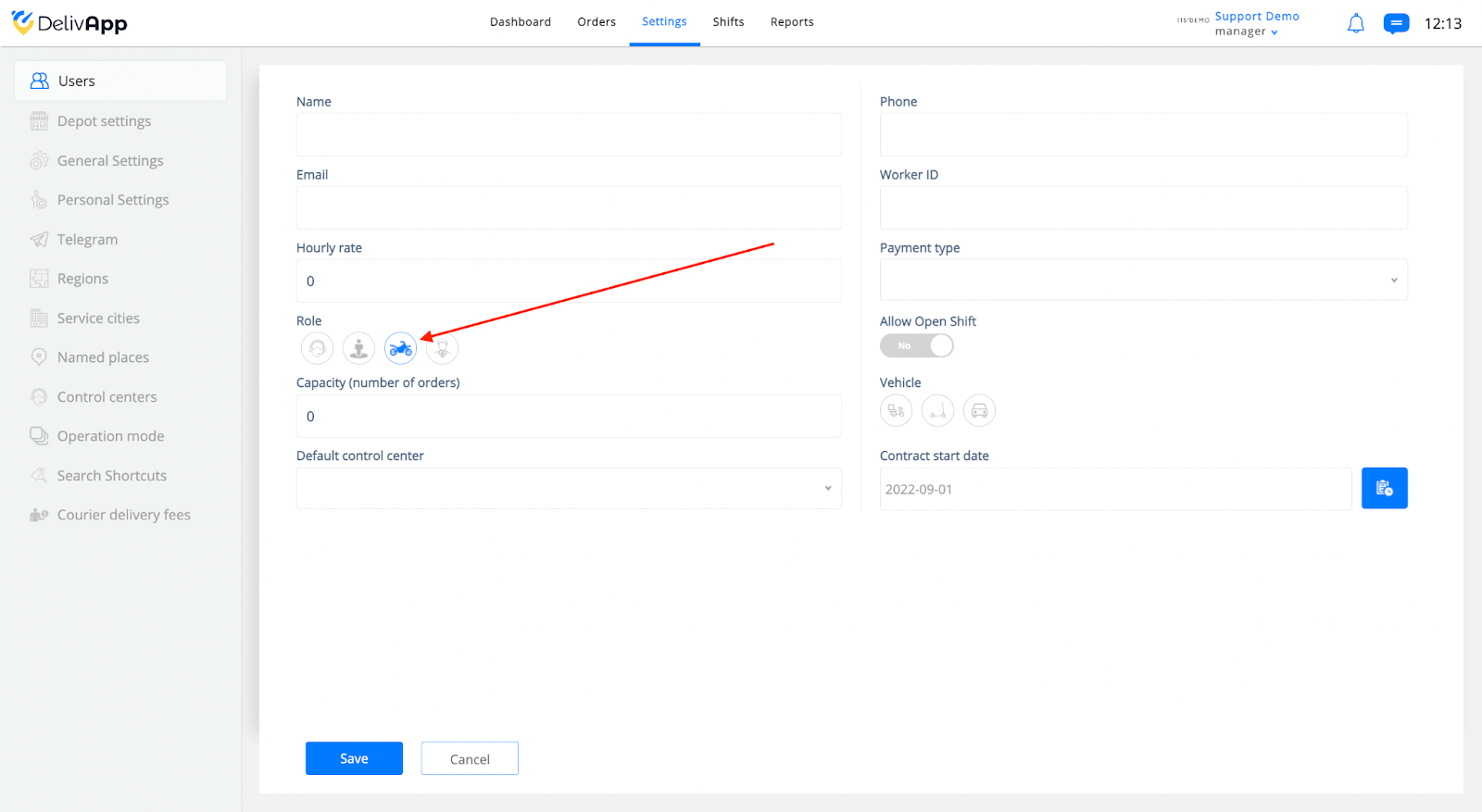
(screenshot 3)
Name (The name of the employee)
Phone (The employee’s phone number)
Email (The employee’s email address)
Worker ID (The employee’s work ID in the company)
Hourly rate (The employee’s compensation per hour)
Payment type (Hourly or per order)
Allow open shift toggle (You can allow couriers to start shifts from their application)
Capacity (Courier’s capacity of orders for one route)
Vehicle (scooter, bicycle or kick scooter, car)
Default control center (Choose default control center for orders)
Contract start date (User registration day)
Name, phone number and role are mandatory fields. The phone number should be unique for each user.
Once all the necessary data has been added, click on the Save button.
To invite couriers to the system, please follow this article: Register a courier in the Application