Assistance order
Assistance order is an order without delivery address, it can get the system from POS, telegram etc. This order will be colored in red, so you can easily identify it.
Assistance order will appear on the dashboard immediately after its creation (screenshot 1).
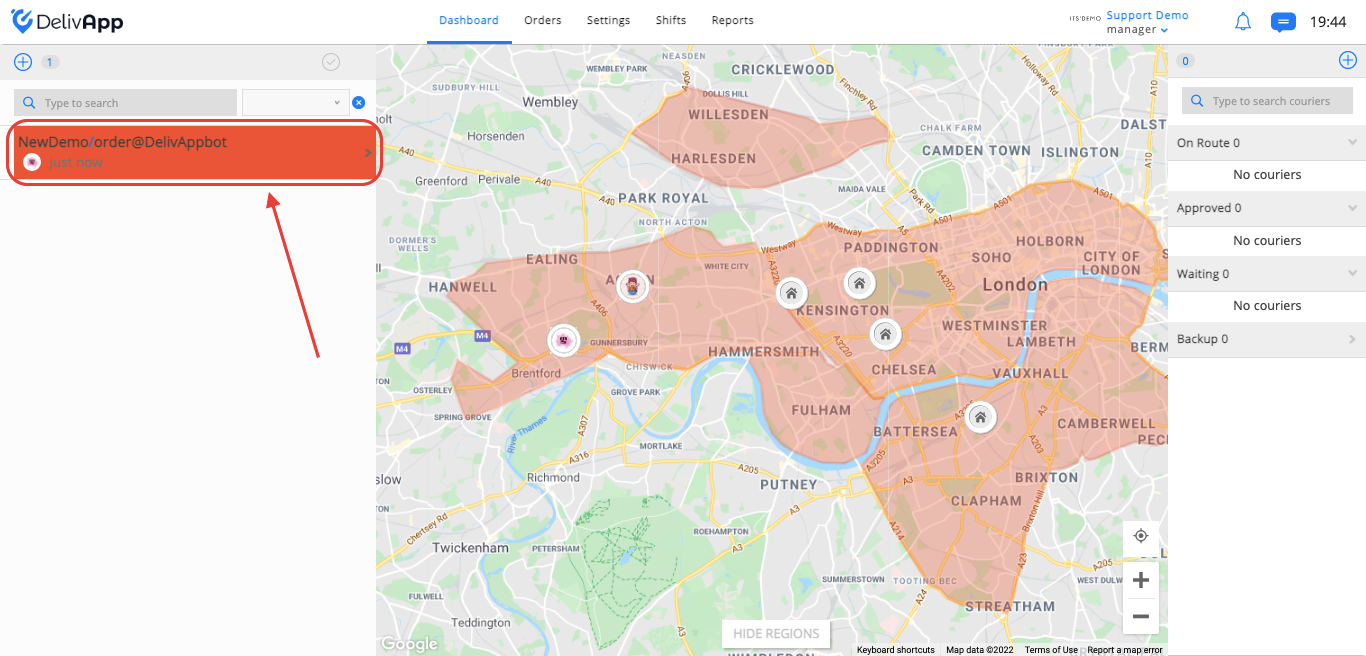
(screenshot 1)
Click on the assistance order in order to set the following information (screenshot 2):
VIP toggle - (gives the order high priority. The algorithm takes this priority into account while creating the routes for couriers).
Depot - (name of the business).
Ready In (approximate time the order will be ready for delivery).
Notes -(notes related to the order).
Phone - (phone number of the customer).
Number - (order number).
Name - (customer name).
Time - (it's possible to select the specific date and time that the order should be delivered).
Payment .- (divided into two parts: Cash and Credit).
Take Away toggle (turn it on if the customer wants to pick up the order from the business).
City and Street - (the address for delivery).
Place - (you can enter one of the saved favorite places, and the field with the address will be filled in automatically).
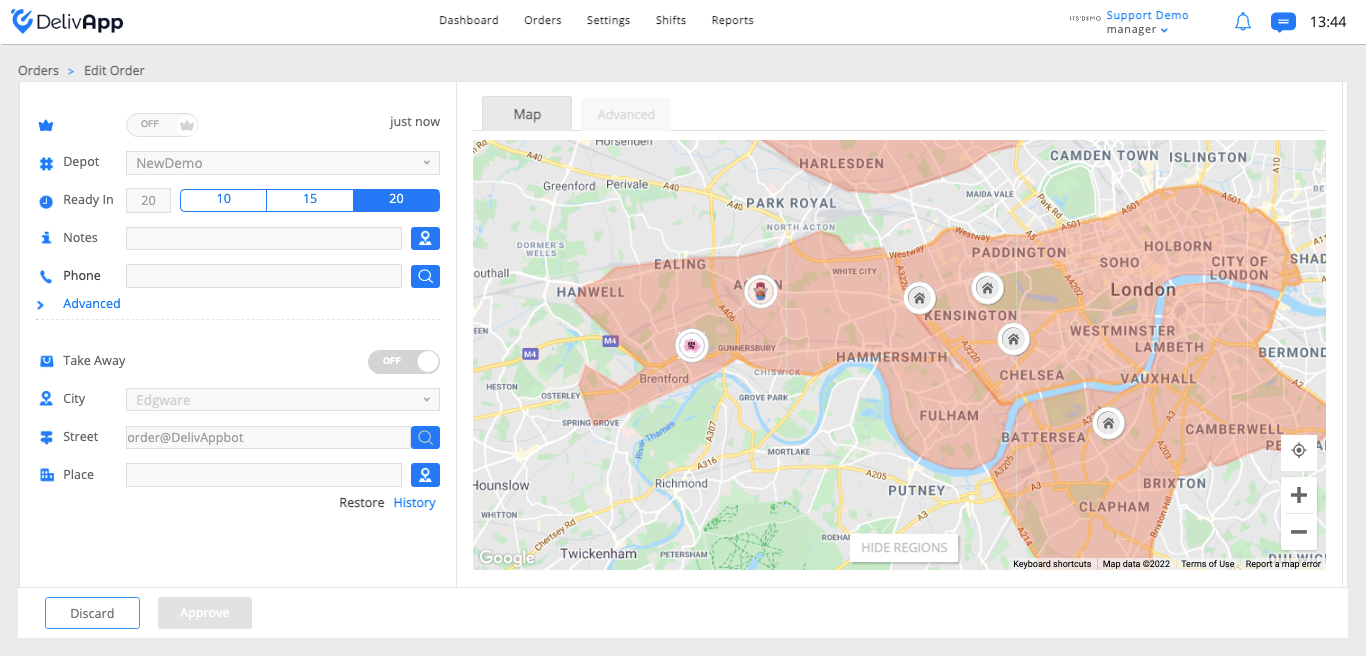
(screenshot 2)
To save the changes and continue processing with the order, click on the approve button. To discard the changes and remove the order, click on the discard button.
After order approval, it will appear on the dashboard as a regular order (screenshot 3).
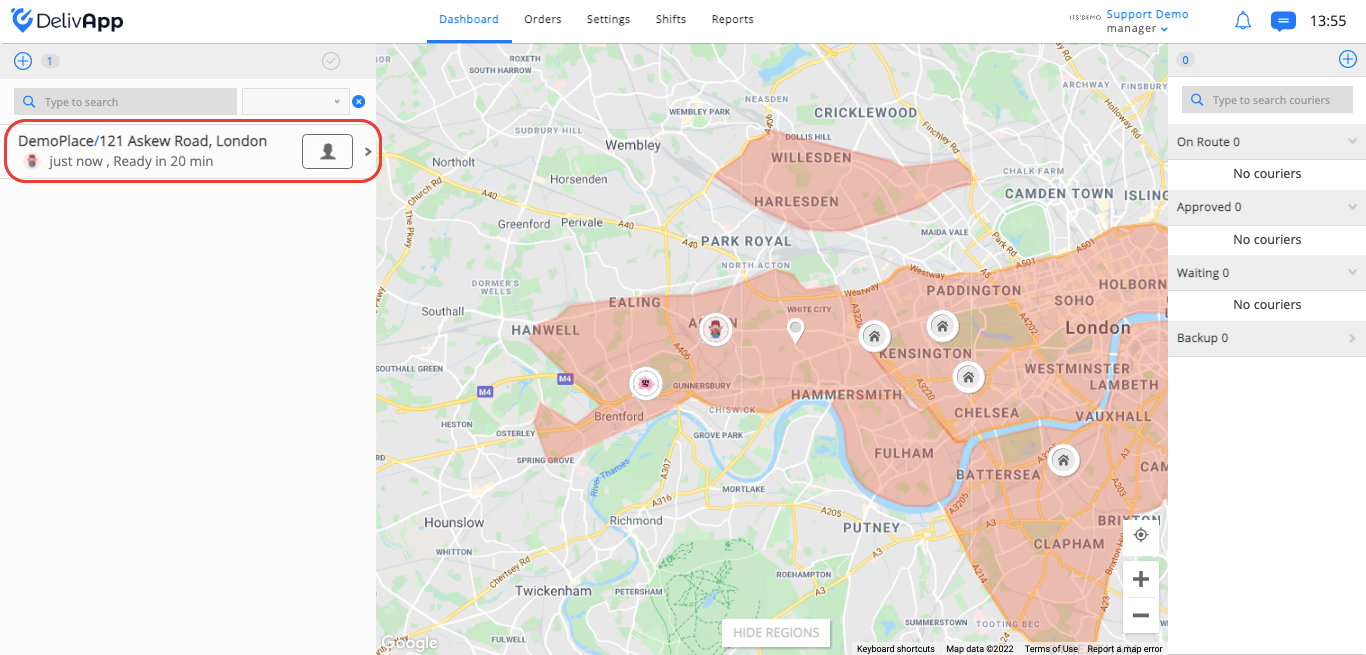
(screenshot 3)