Displaying orders on the map
Updated Jun 15, 20251 min read
order on map
It can be difficult to determine the location of the order on the map when you have a lot of marks on it. There is an identification function in the system.
Click on the order card from the list of orders on the dashboard screen, and the mark on the map that is associated with your order will bounce on the map.
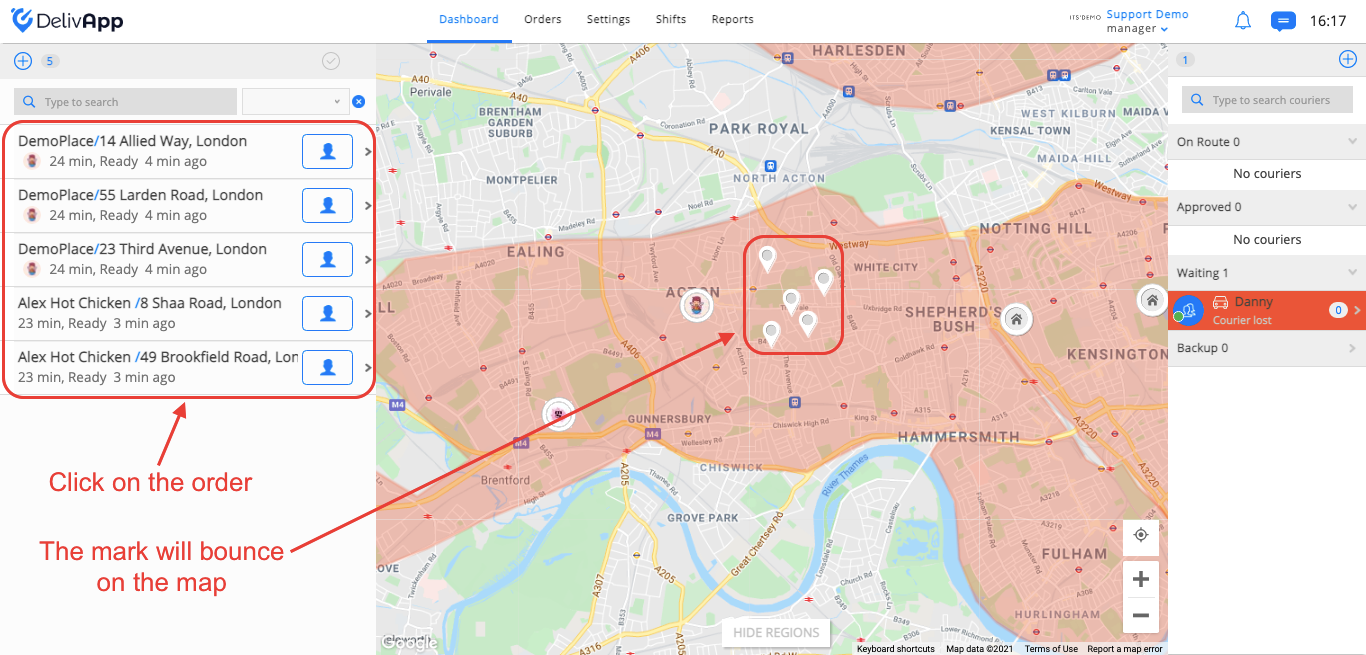
(screenshot 1)
In the same way, if you click on the mark on the map, the order will be highlighted in gray.
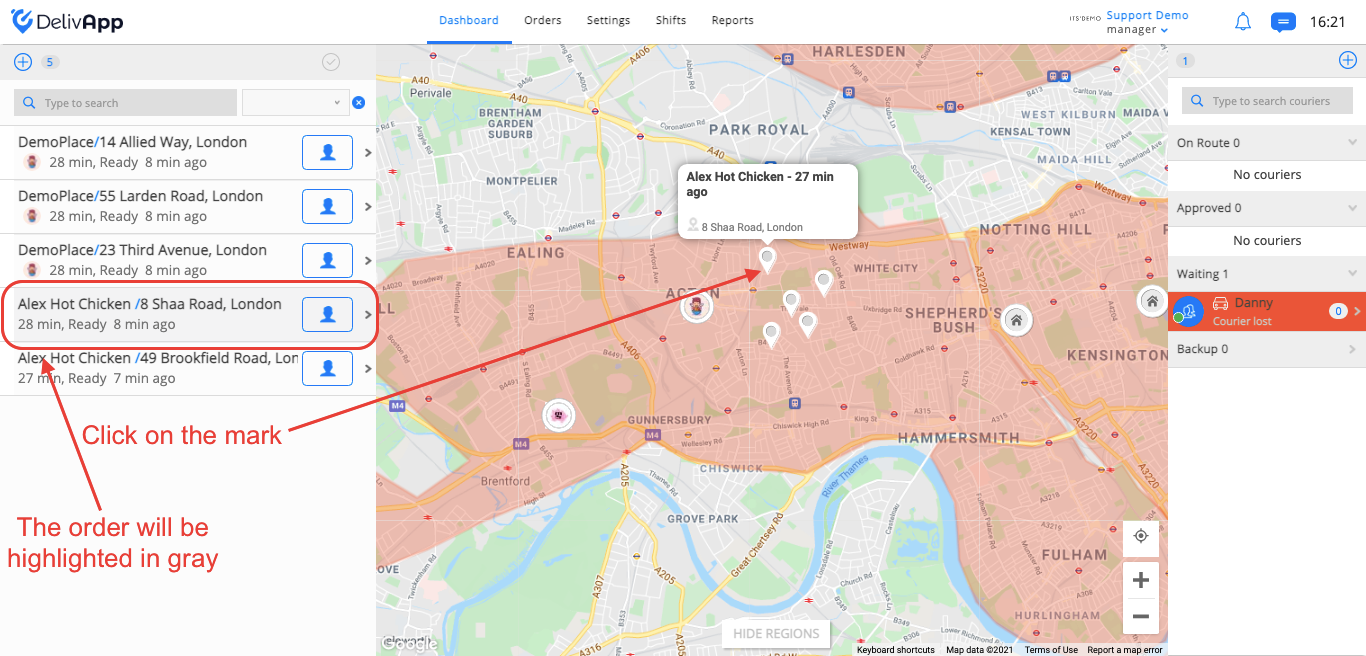
(screenshot 2)
This function works in the same way if you open a route group.
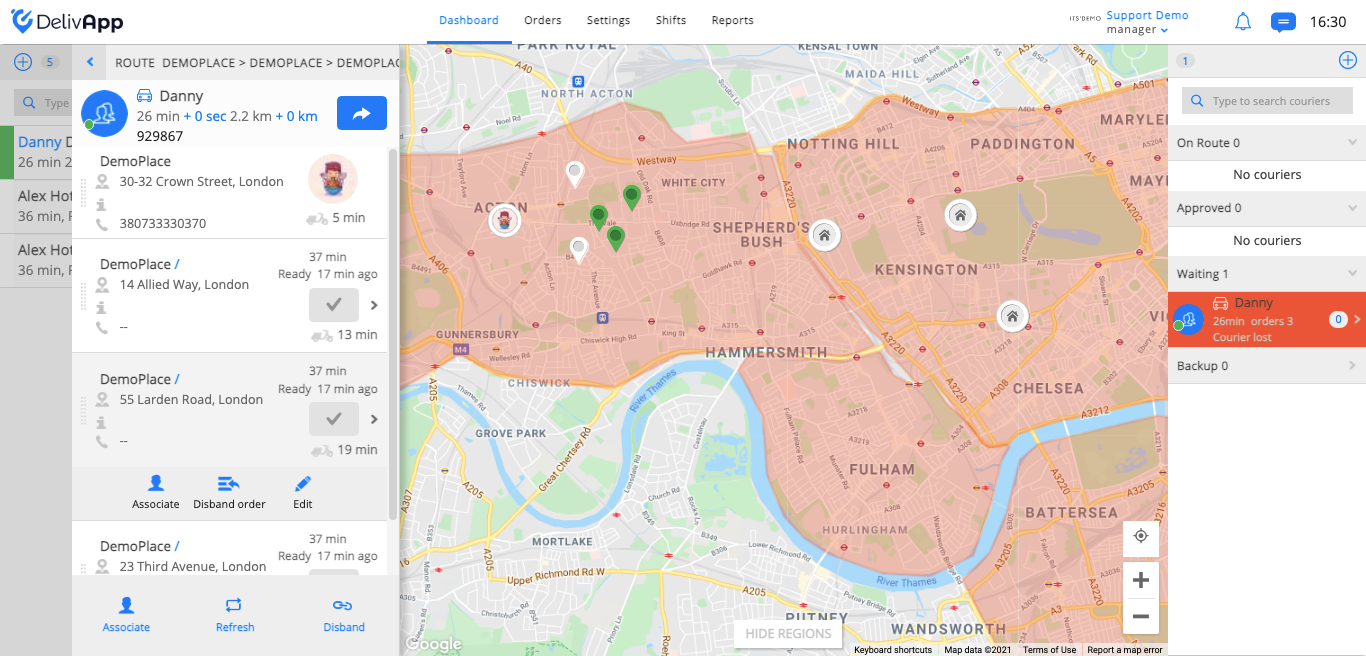
(screenshot 3)
Was this article helpful?