Courier routes map view
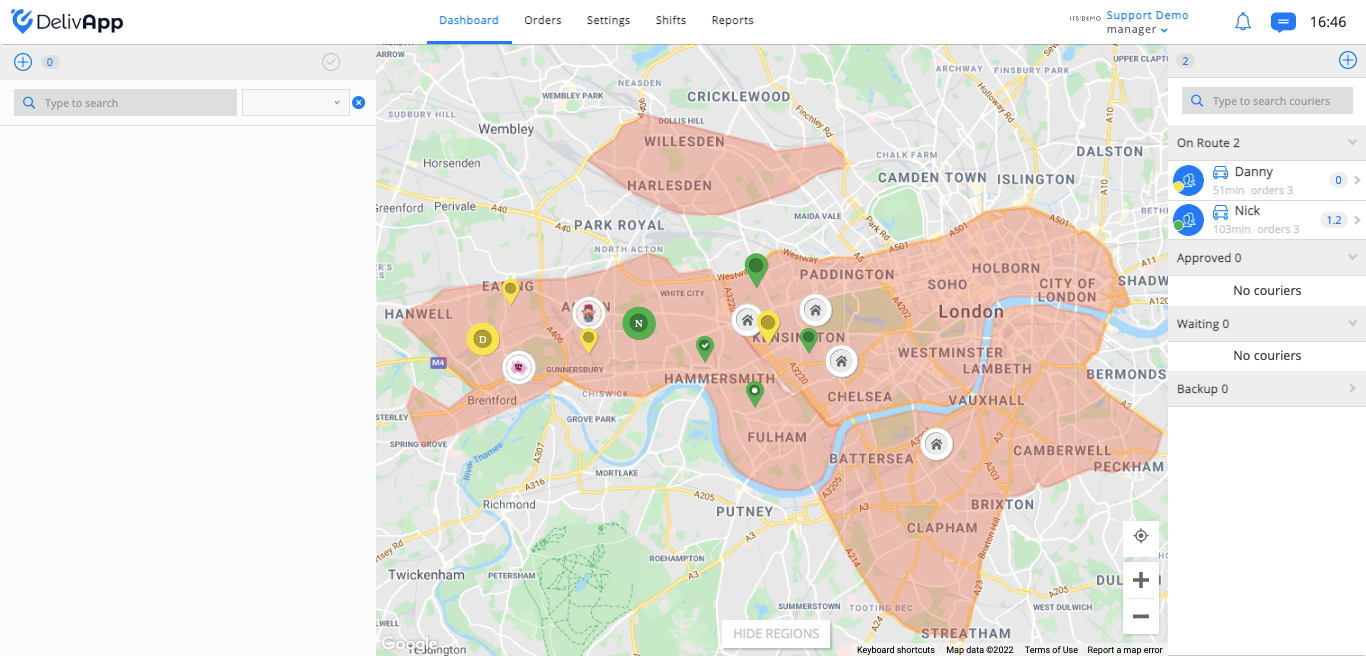
Just as you can see the various tags on the map, you can also see the courier routes that are colored the same color as the courier. In the screenshot, you can see two couriers colored green and yellow, and also their routes (screenshot 1).
(screenshot 1)
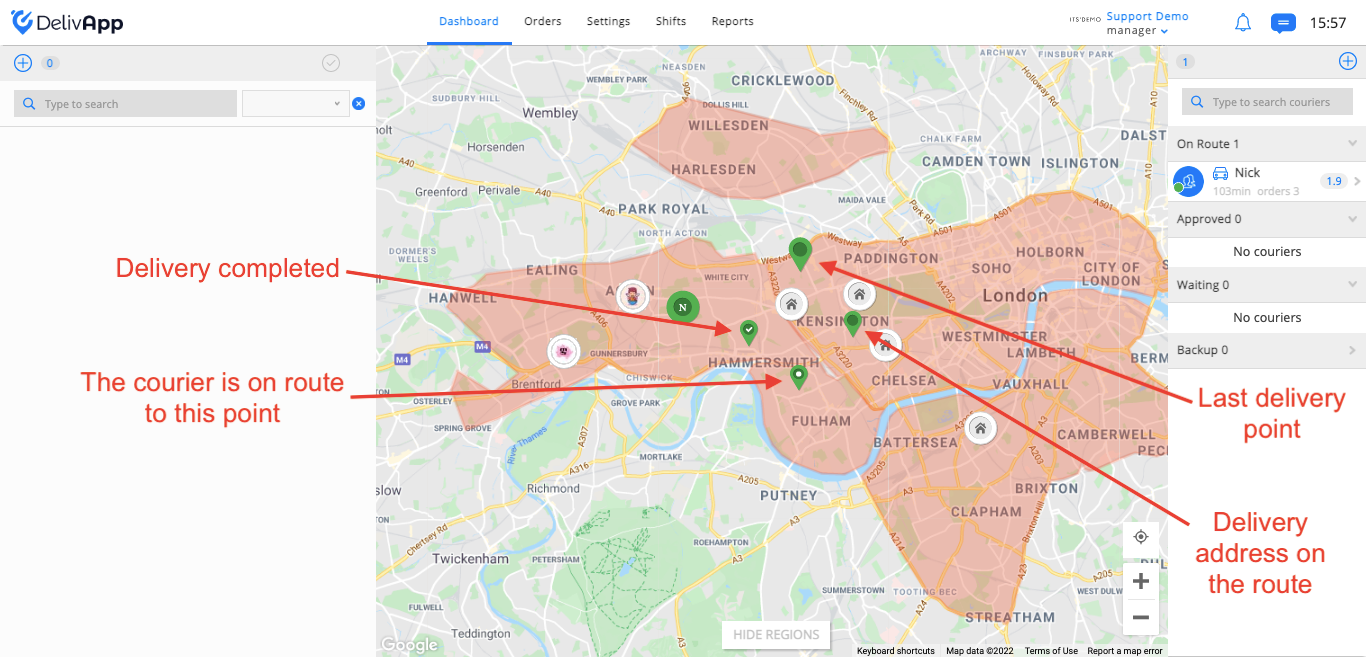
This tag is the order delivery address. In real time you can see completion status of the route (screenshot 2):
Order completed -
Next delivery address -
One of the route addresses -
Last delivery point -  (the tag is bigger than rest of delivery tags statuses)
(screenshot 2)
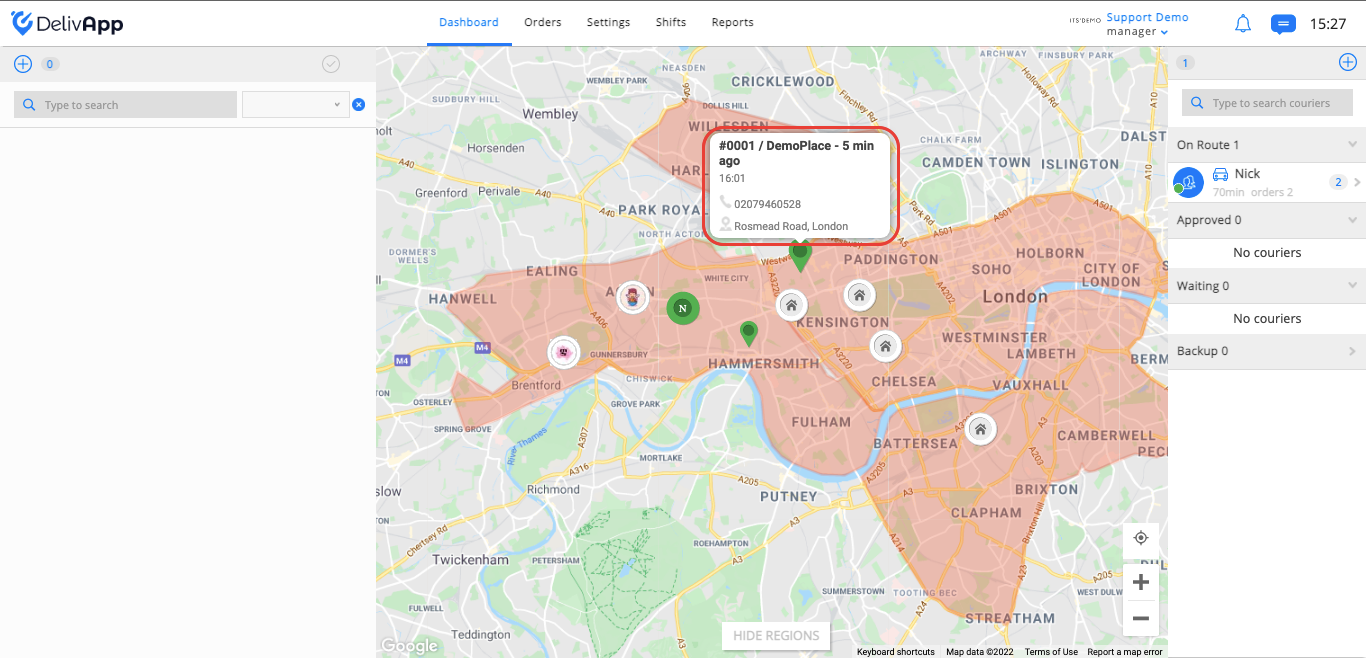
When you hover over the delivery address tag on the map, you will see the following information: order number, place of order, receipt order time, when the order should be delivered, customer’s phone number and delivery address (screenshot 3).
(screenshot 3)