Shortcuts and tagging
Shortcuts and tagging is a simple way for fast order searching using your own shortcuts.
You can search for orders by depot name, named places, courier name, order number, customer name, phone number, delivery address.
To create new shortcuts, please click on the “Settings” tab on the upper navigation panel, then click on the “Search Shortcuts” on the left sidebar (screenshot 1).
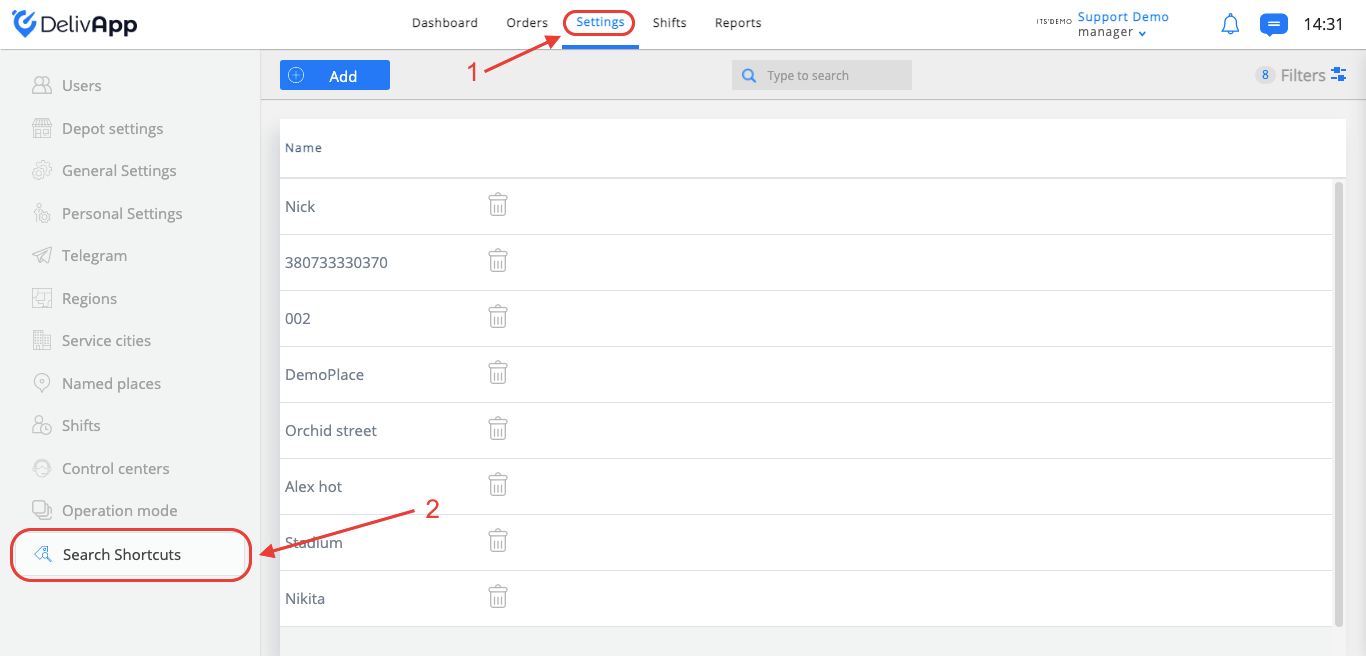
(screenshot 1)
On the “Search Shortcuts” screen, you will see a search box to quickly search for existing shortcuts and the “Add” button for shortcuts creation.
You can add new tags by clicking on the “add” button, or to remove the old one by clicking on the remove icon (screenshot 2).
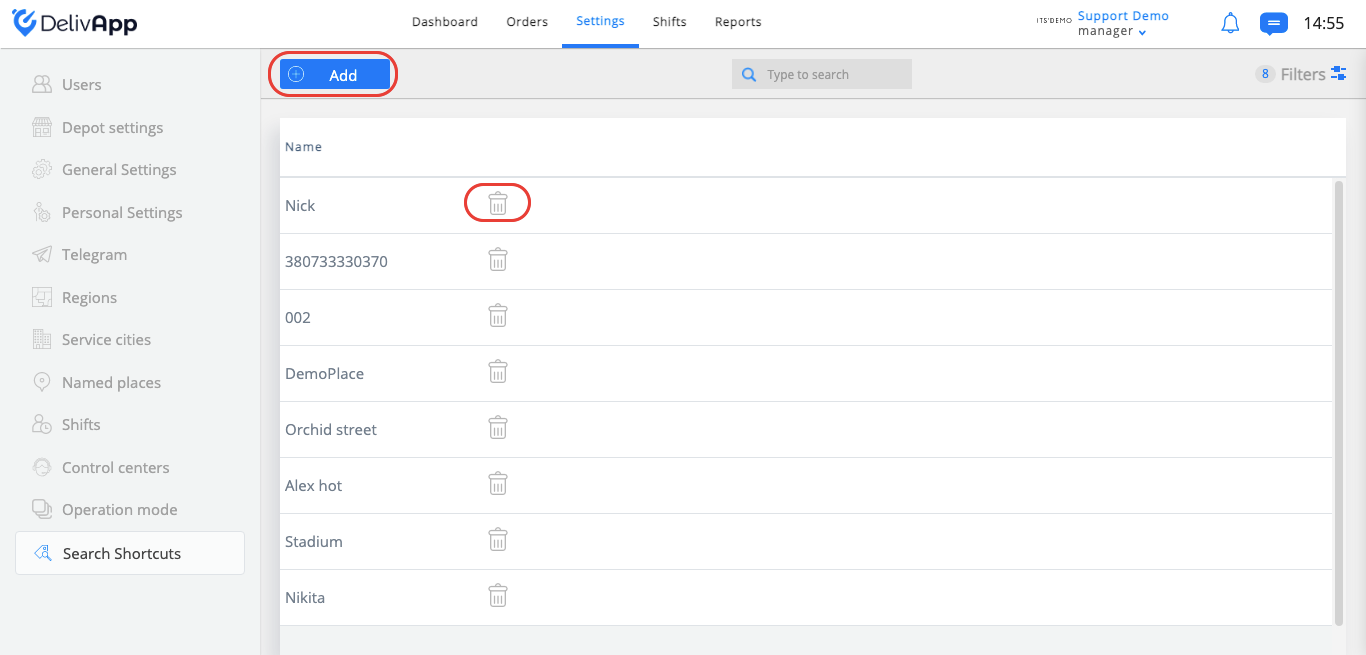
(screenshot 2)
All created tags will appear at the orders menu on the dashboard tab (screenshot 3).
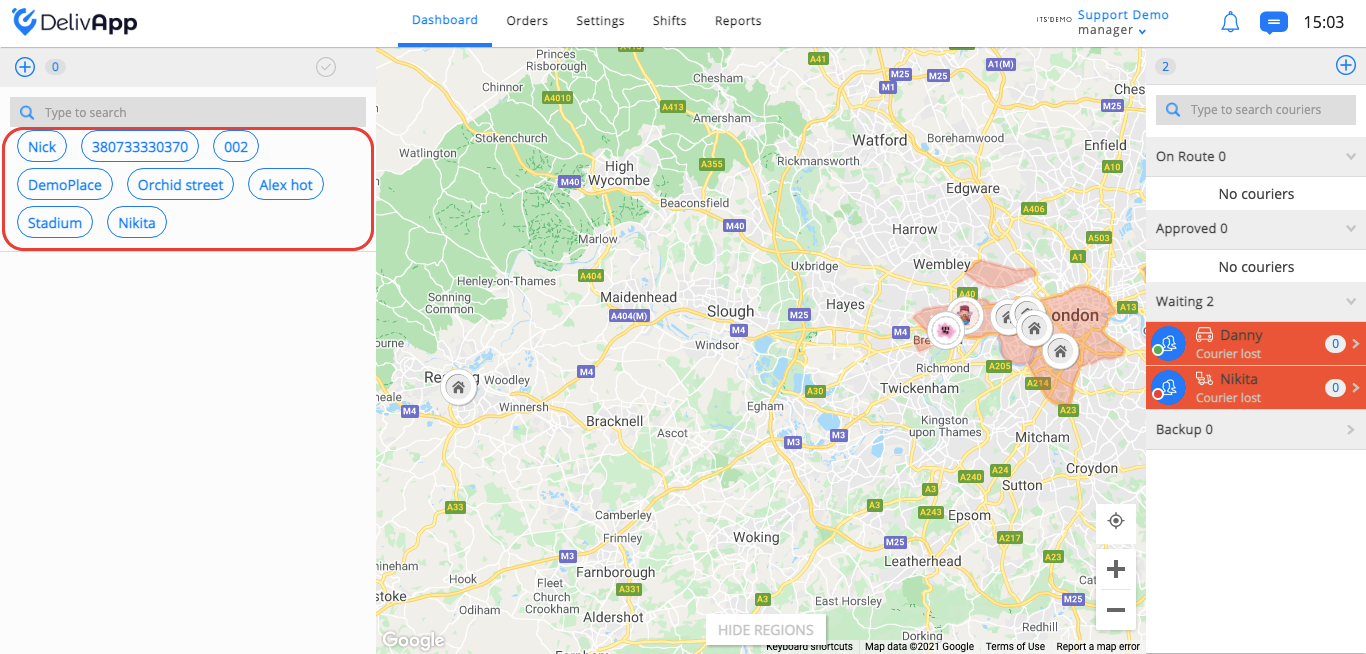
(screenshot 3)
Click on the tag to filter orders related to this tag.
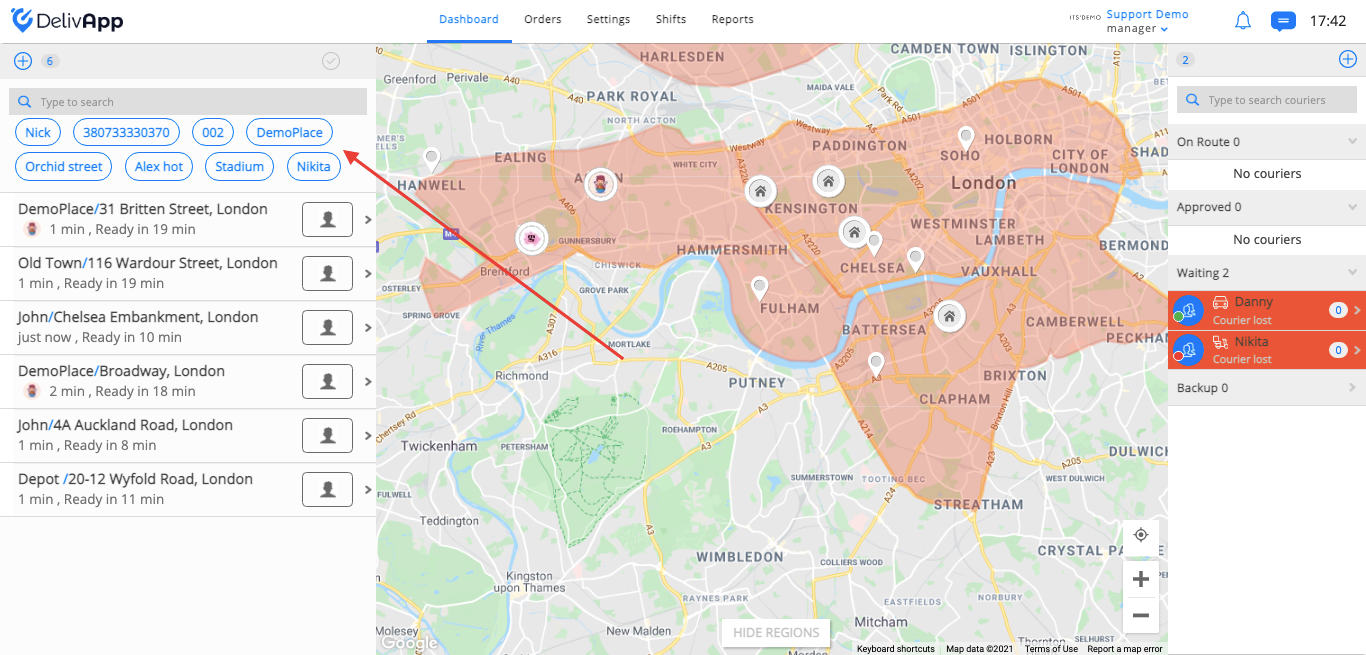
(screenshot 4)
For example, you have a lot of orders in progress, and you need to find orders related to the depot “DemoPlace”, click on the “DemoPlace” tag, and orders from screenshot 4 will be re-sorted in such a way that in the list will appear only orders related to this depot (screenshot 5).
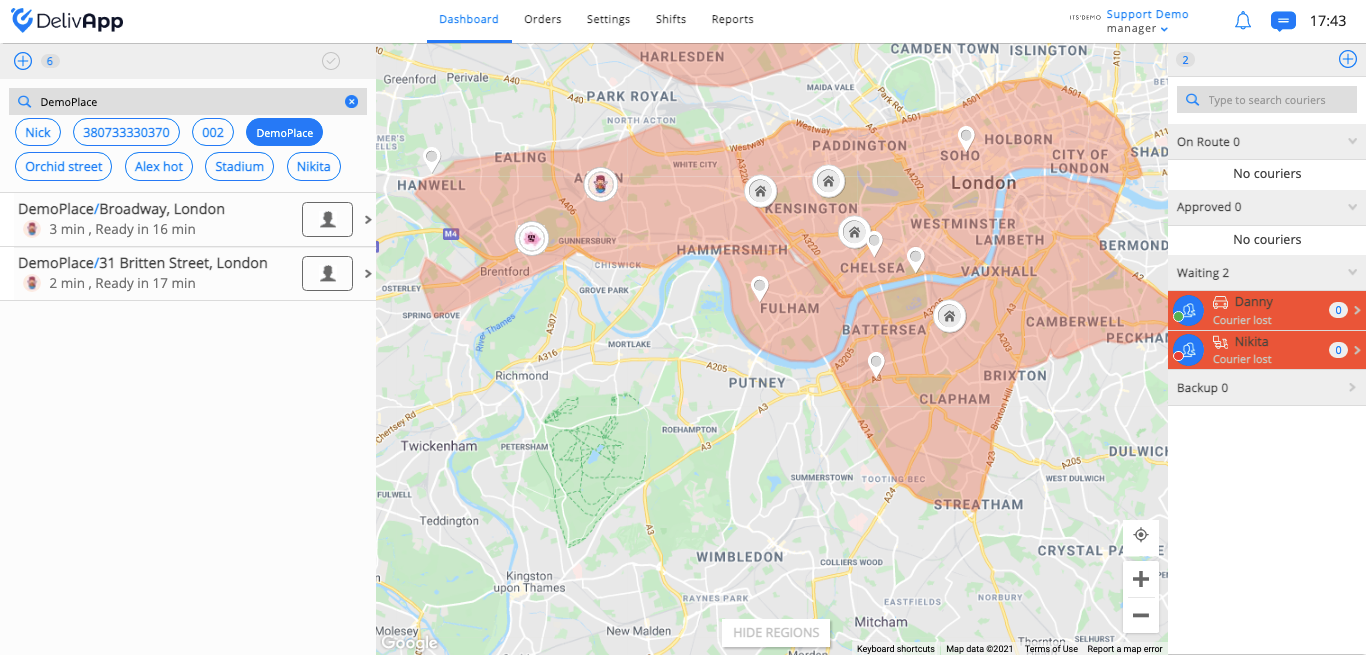
(screenshot 5)