Set Target Time for Delivery
Updated Jun 17, 20251 min read
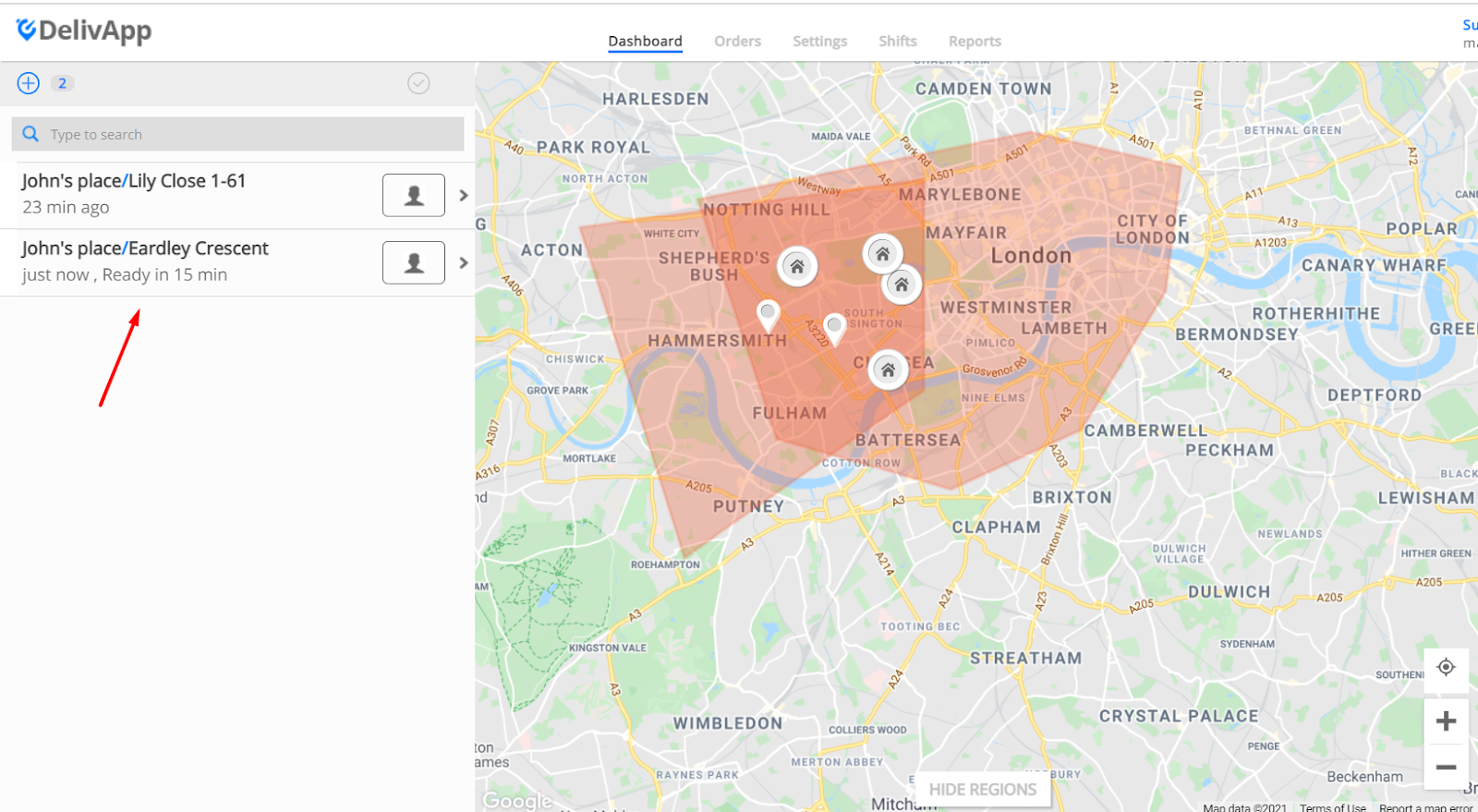
In order to set the specific time for the order to be delivered, press on the order from the left - side menu of the Dashboard:
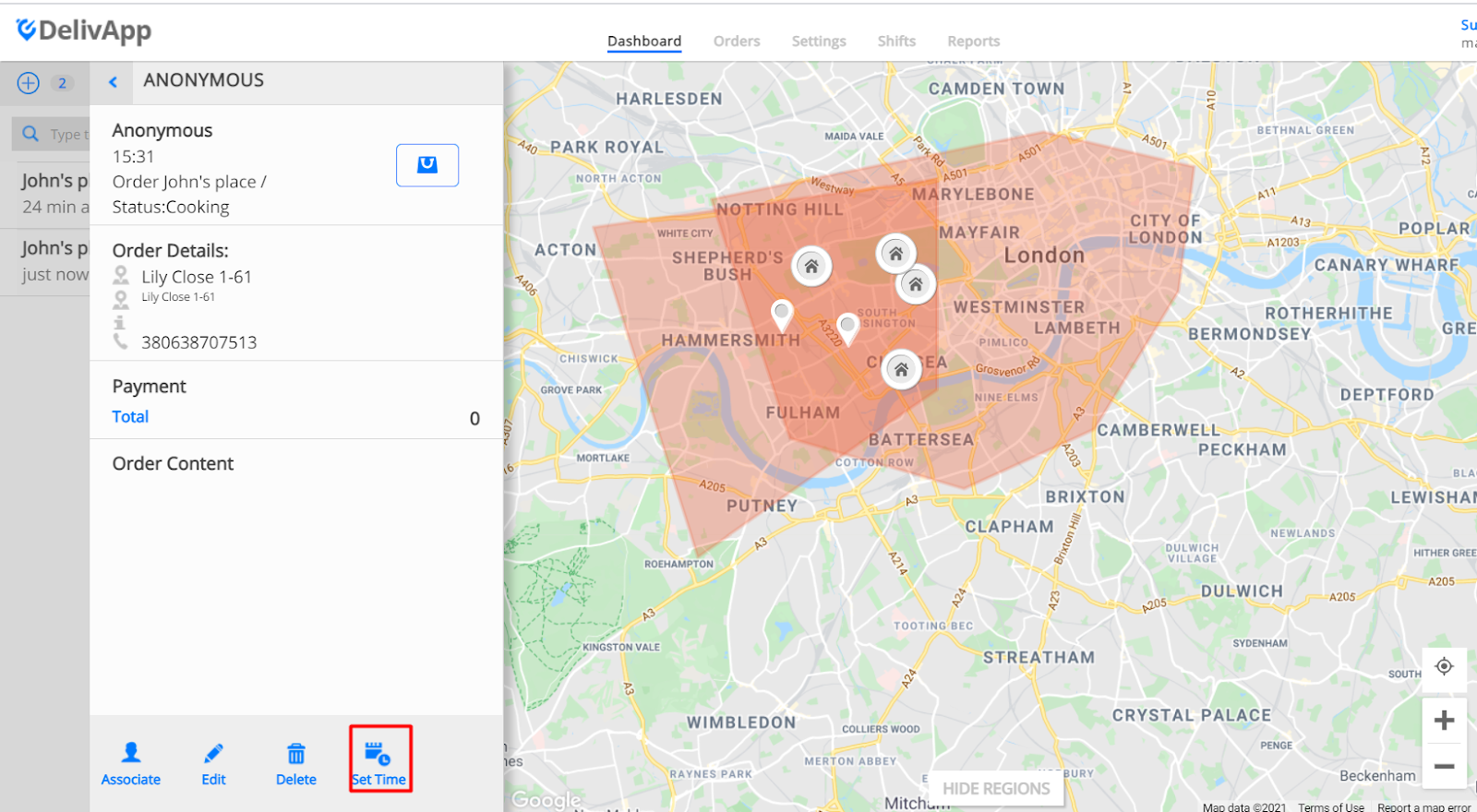
In the opened window select “Set Time”
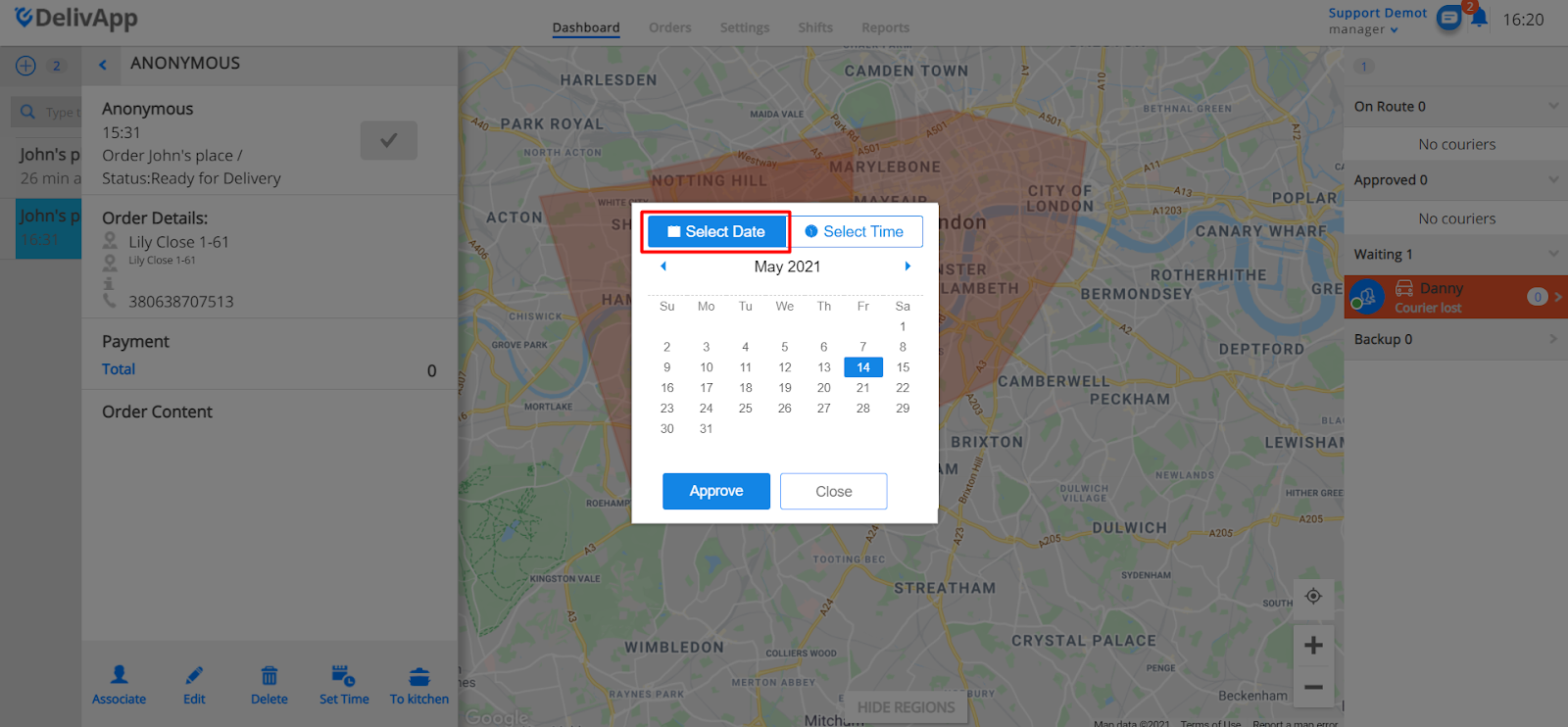
Window with two options will be opened: “Select Date” and “Select Time”:
Select Date allows to set the date when the order should be delivered:
Select Time allows to set the time when the order should be delivered:
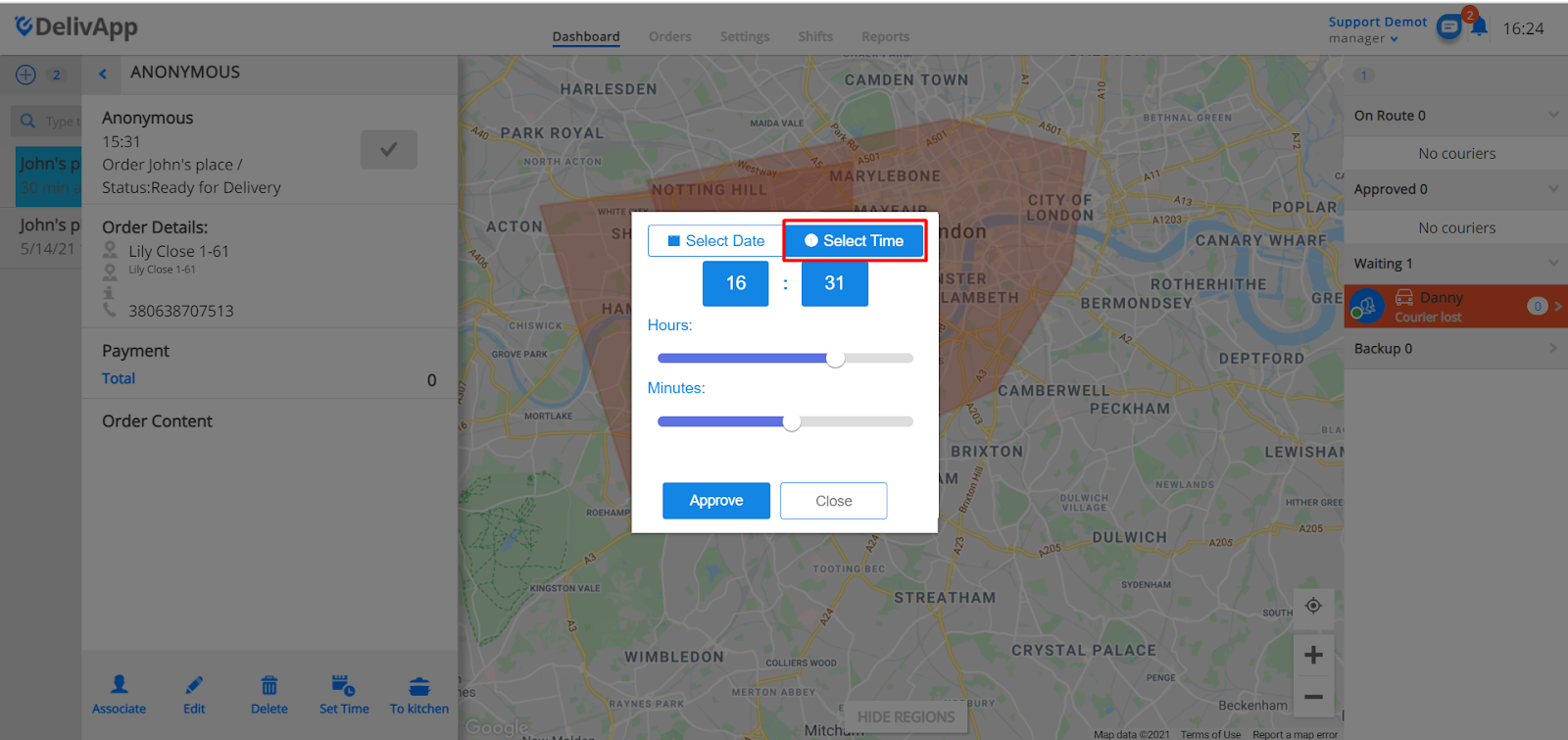
Press “Approve” to apply the changes.
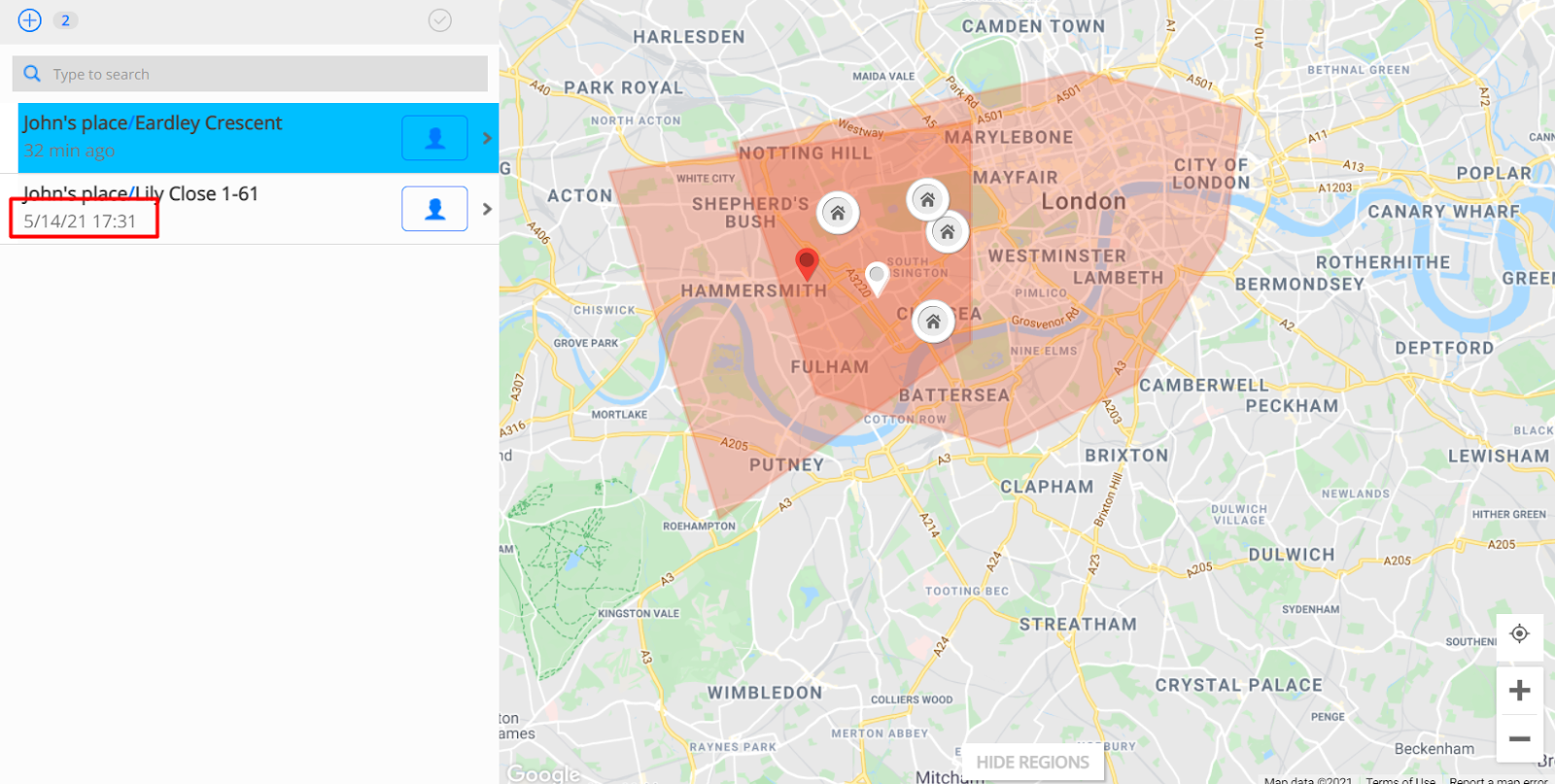
The order would appear on the left - side of the Dashboard along with the date and the time that the order need to be delivered:
Was this article helpful?