Search/Tags on dashboard
Updated Jun 17, 20251 min read
searchshortcutstag
You can quickly find orders in the system using the search bar. You can find orders by the following criteria: depot name, delivery address, notes, customer name, customer phone number, order number.
Enter relevant criteria in the search bar on the left side of the dashboard screen (screenshot 1).
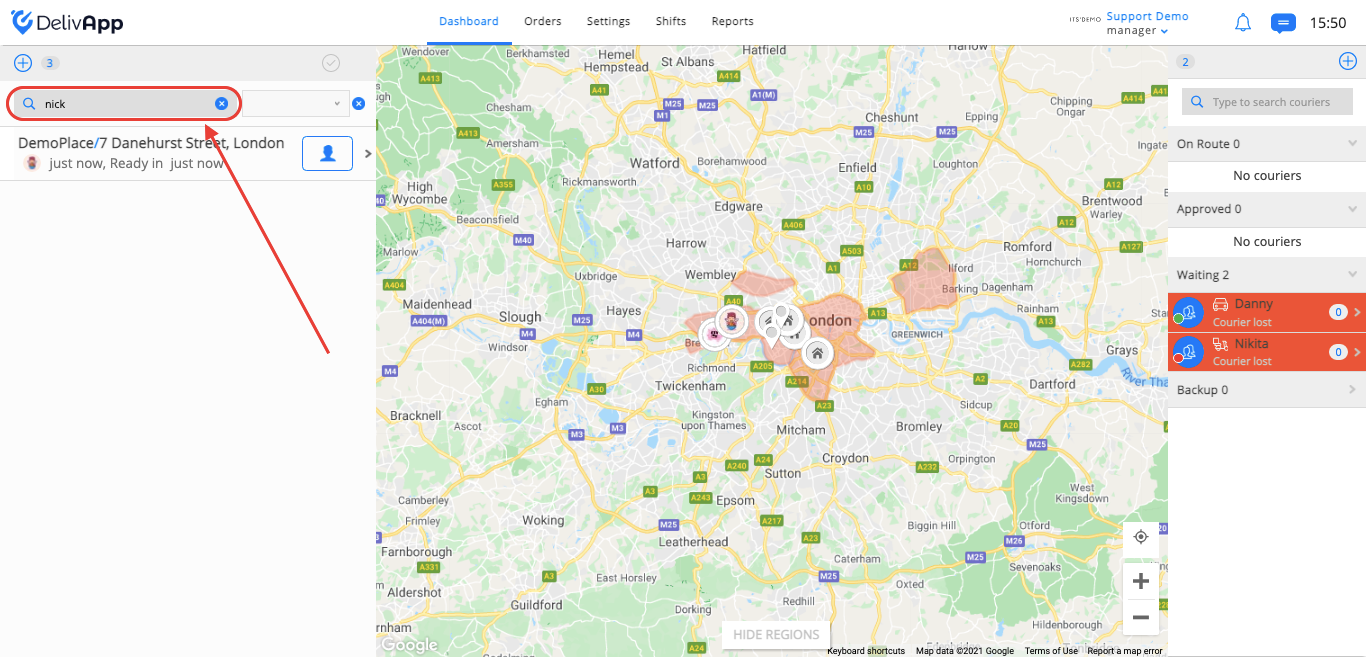
(screenshot 1)
All orders will be sorted by entered criteria.
If you are working with “control centers” you can search by them, click on the field next to the search and select the relevant control center from the dropdown list (screenshot 2).
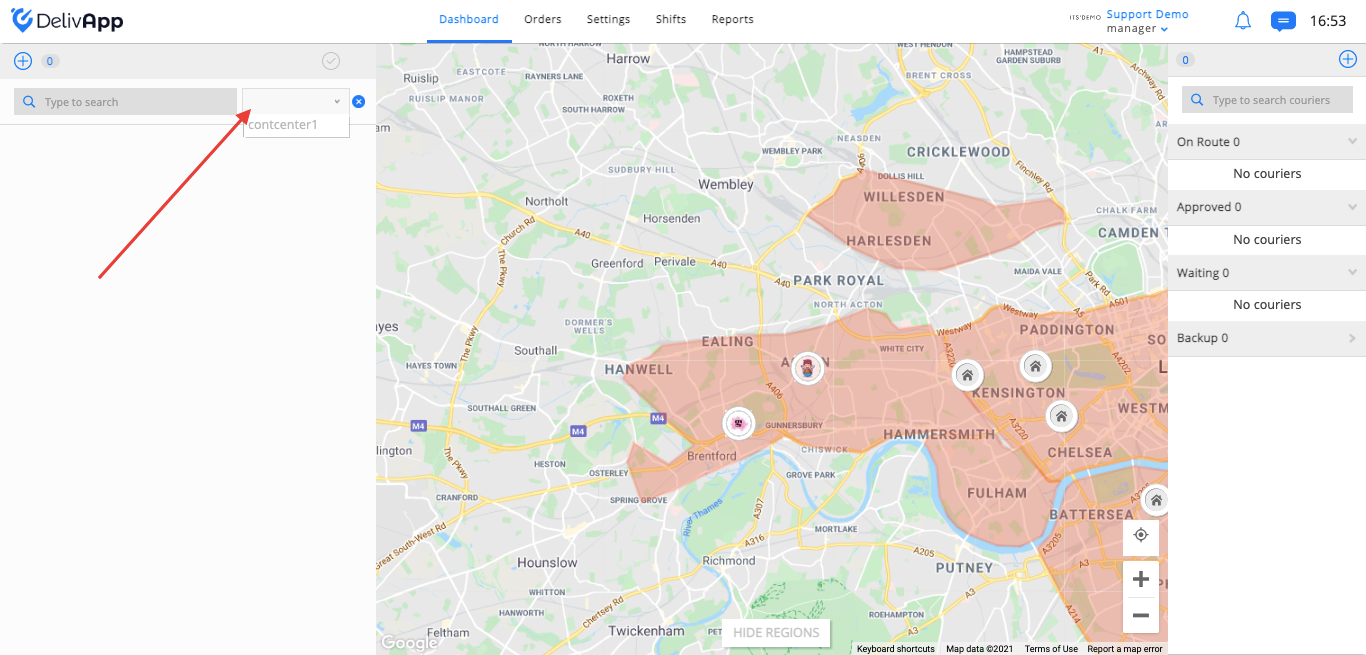
(screenshot 2)
To learn how to create shortcuts, please follow the link – Shortcuts and tagging
Was this article helpful?