DelivApp
Order food
Login
Get Started
Docs/Orders & Delivery/Dashboard & Map View

Courier info on the map

Updated Jun 15, 2025·1 min read

Courier info on the map

On the map, you can see various tags that will help you process your order comfortably. One of these tags is a courier tag. It looks like a colored circle with the first letter of the courier's name (screenshot 1).
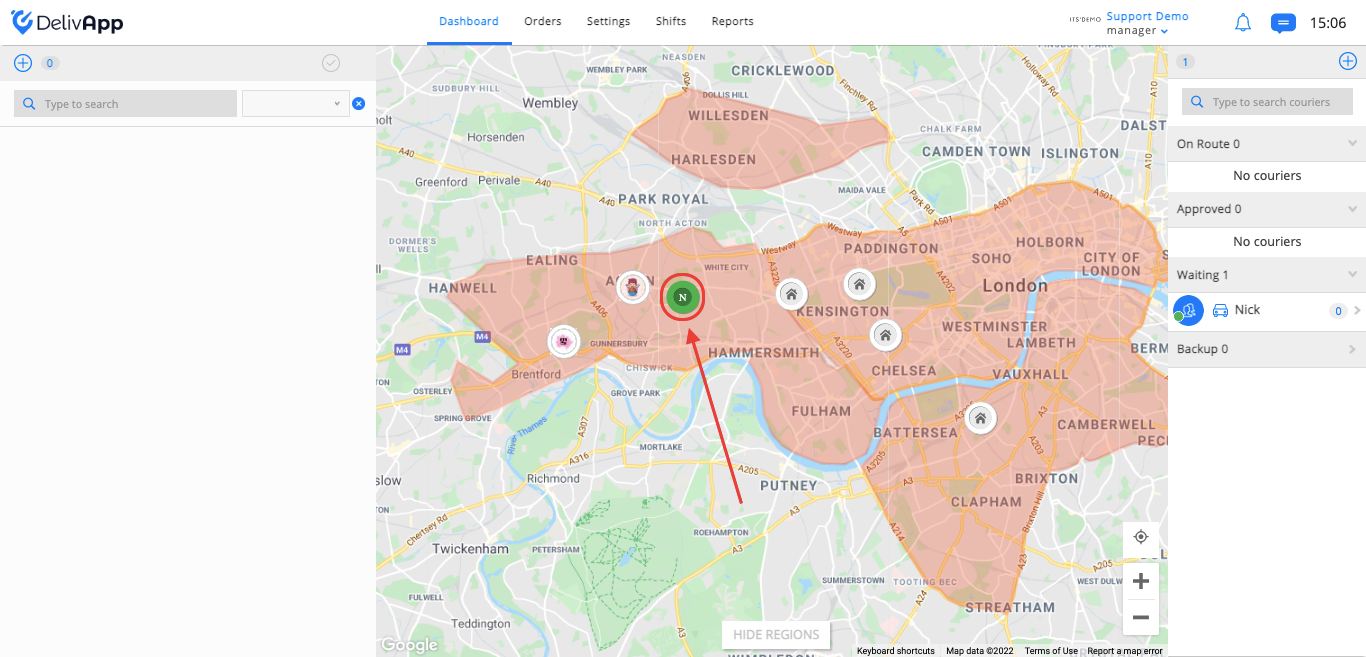
(screenshot 1)

Hover over the courier from the map to see his name and phone number (screenshot 2).
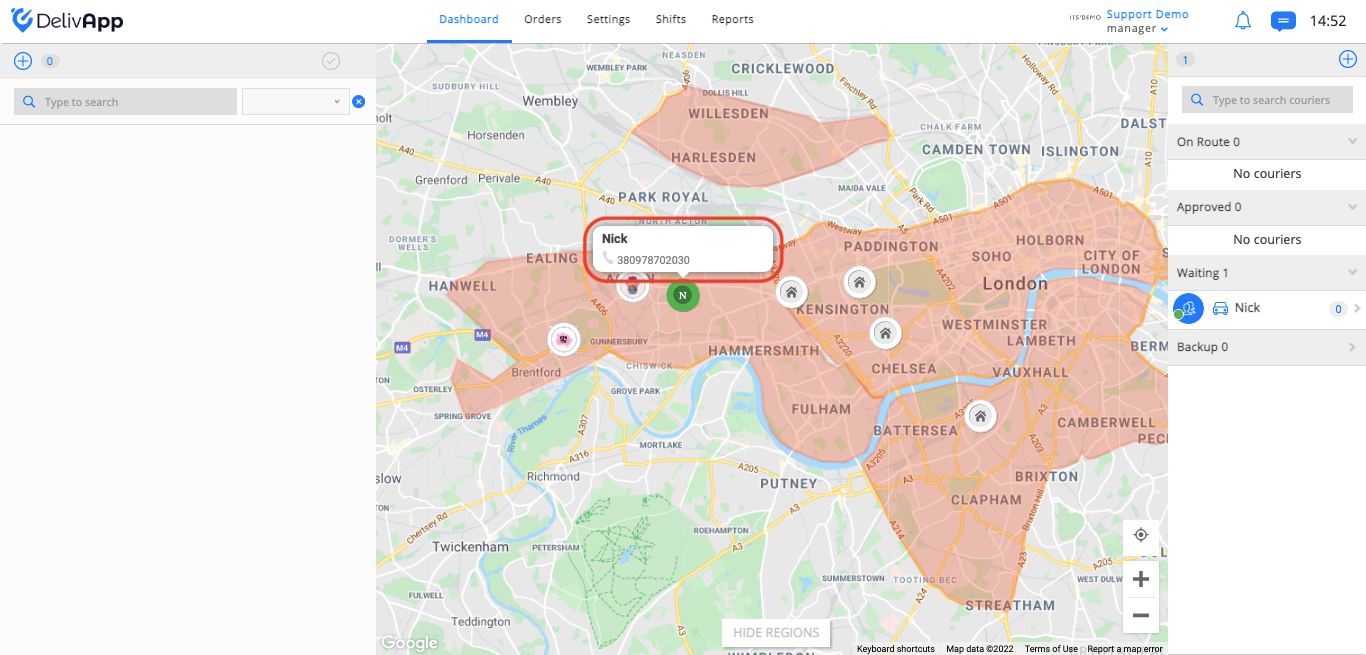
(screenshot 2)

On the map, you will see how couriers move in real time.

Was this article helpful?
← Previous
Map
Next →
Courier routes map view
DelivApp

Products

  • Online Ordering & Loyalty
  • Delivery Management
  • Orders Aggregation & Dispatch
  • Self-Service Kiosk
  • Multi-Fleet Access

For DriversComing soon

  • Find a Job

Partners

  • Personal Area

Resources

  • Knowledge Base
  • Blog
  • What We Shipped
  • API Documentation
  • Find a delivery provider
  • Order food

© 2015-2026 Georest Ltd. All rights reserved.

Privacy Policy·Terms of Service·Cookies Policy·