Reprice your whole menu in one file: export, edit, import

A new price list for the whole menu is now one file. Export the menu, update every price and SKU in a spreadsheet, and import it back: the whole menu changes at once.
Menu data: the whole menu in one file
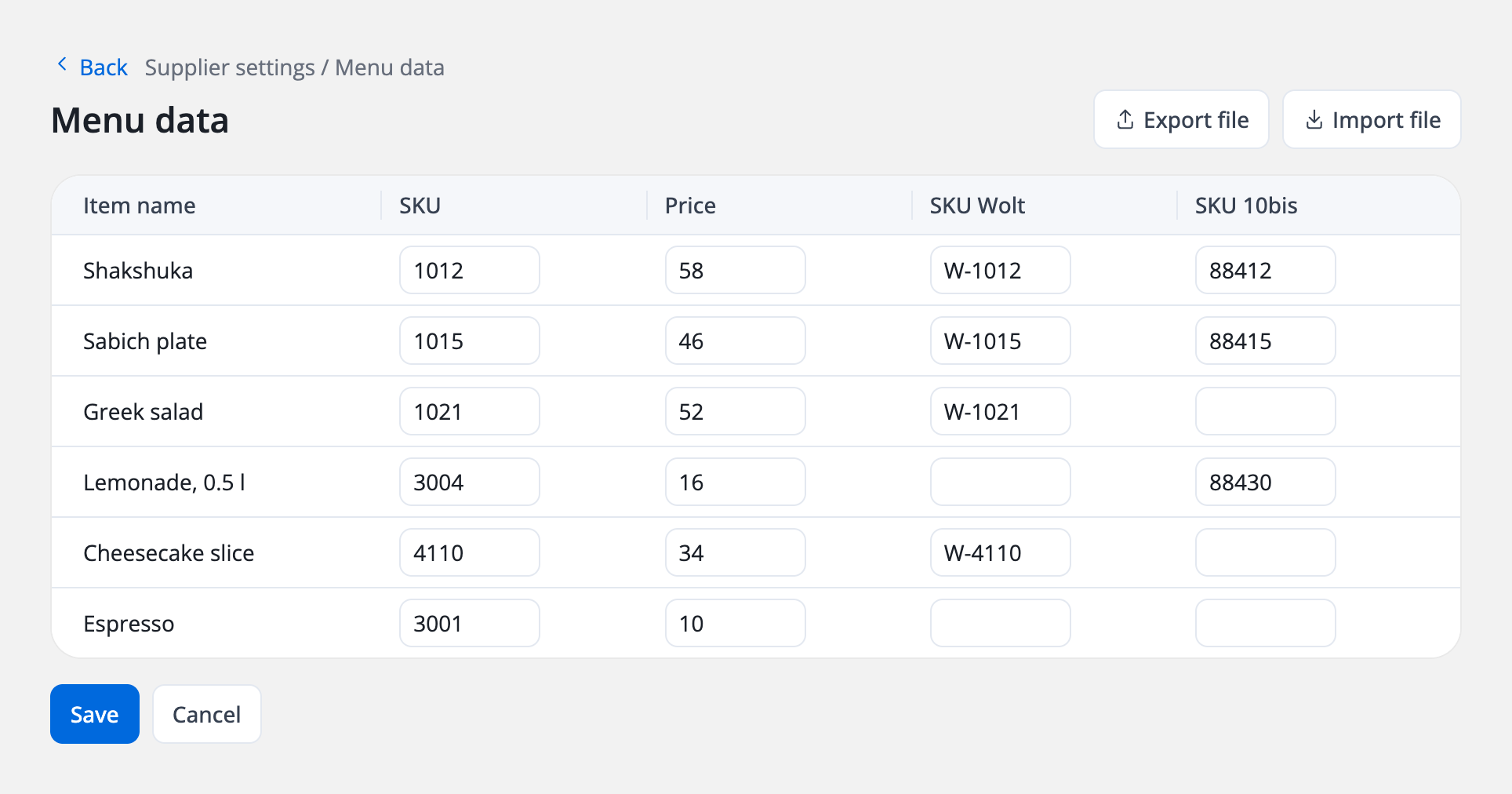
Everything that identifies and prices an item now sits on one row: its SKU, its price on your own site and app, and its SKU on each connected channel, such as Wolt and 10bis. Raising prices across the menu or filling in SKUs for a new channel becomes a single pass through a spreadsheet instead of a run of edits, item by item.
That's the Menu data screen. Export file gives you the menu as a file, without its pictures; Import file brings your changes back in. It replaces the old SKU screen and adds the Price column, which that screen never had.
Getting SKUs right pays off on every order: DelivApp matches each incoming item, from every channel, to your SKU and your menu, so the kitchen sees exactly what to make. More on that in Orders Aggregation & Dispatch. Building the menu itself is covered in Setting up a marketplace menu and Setting up business catalogs.
Wolt integration: your Wolt menu, priced on its own terms
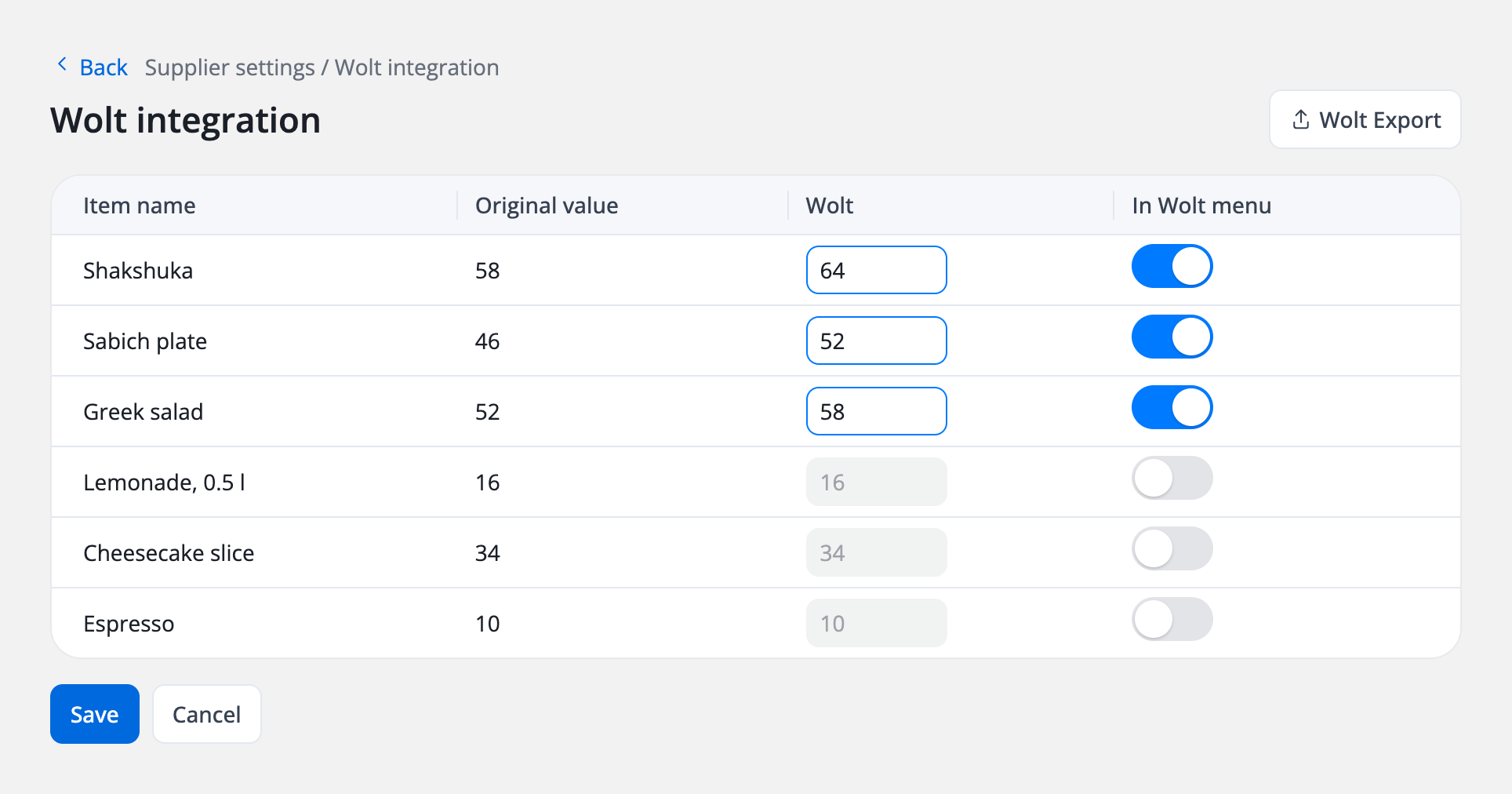
Your Wolt menu doesn't have to mirror your own site. Set a separate Wolt price for any item and choose which items appear on Wolt at all, from one screen, next to the prices you already have.
The Wolt integration screen shows each item with:
- Original value, the price on your site;
- Wolt, the price on Wolt;
- In Wolt menu, a switch that puts the item on your Wolt menu or takes it off.
When it's ready, Wolt Export produces a file to send to Wolt. Wolt orders themselves reach DelivApp through the Wolt integration; the setup is in How to connect the Wolt integration.
Also shipped: the whole network at a glance
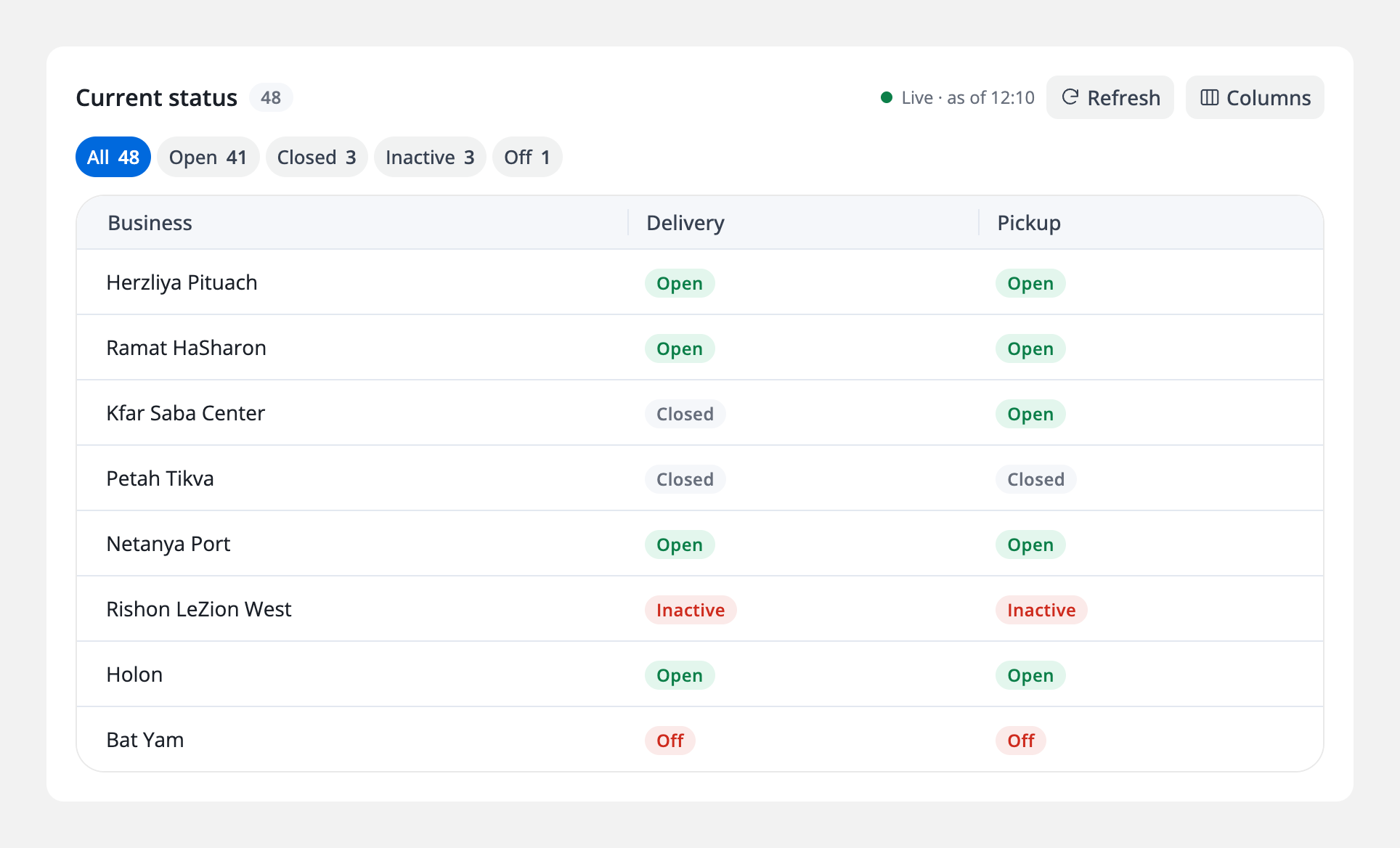
One look tells a manager how the whole network is doing right now: how many businesses are open, which ones are closed or switched off, and whether each is taking delivery orders, pickup orders or both. No calling around, no opening businesses one by one.
That's the redesigned Availability section in Analytics. Its Current status table lists every connected business with its delivery status and pickup status (open, closed, inactive or off) and counts each status above the table. It's marked Live, shows when it was last updated and refreshes with one click. Availability sits alongside DelivApp's analytics for sales, logistics, consumer behaviour and payments.
About DelivApp
DelivApp is ordering and delivery technology plus a delivery network, sold white-label to restaurants, chains and delivery companies. The platform covers online ordering and loyalty, order aggregation and dispatch, access to 20+ delivery providers and delivery management, and every module is configured to the way the business works. More than 3,000 restaurants are connected to DelivApp, which was founded in 2014.
Want to see Menu data on your own menu? Book a free consultation.
Related reading
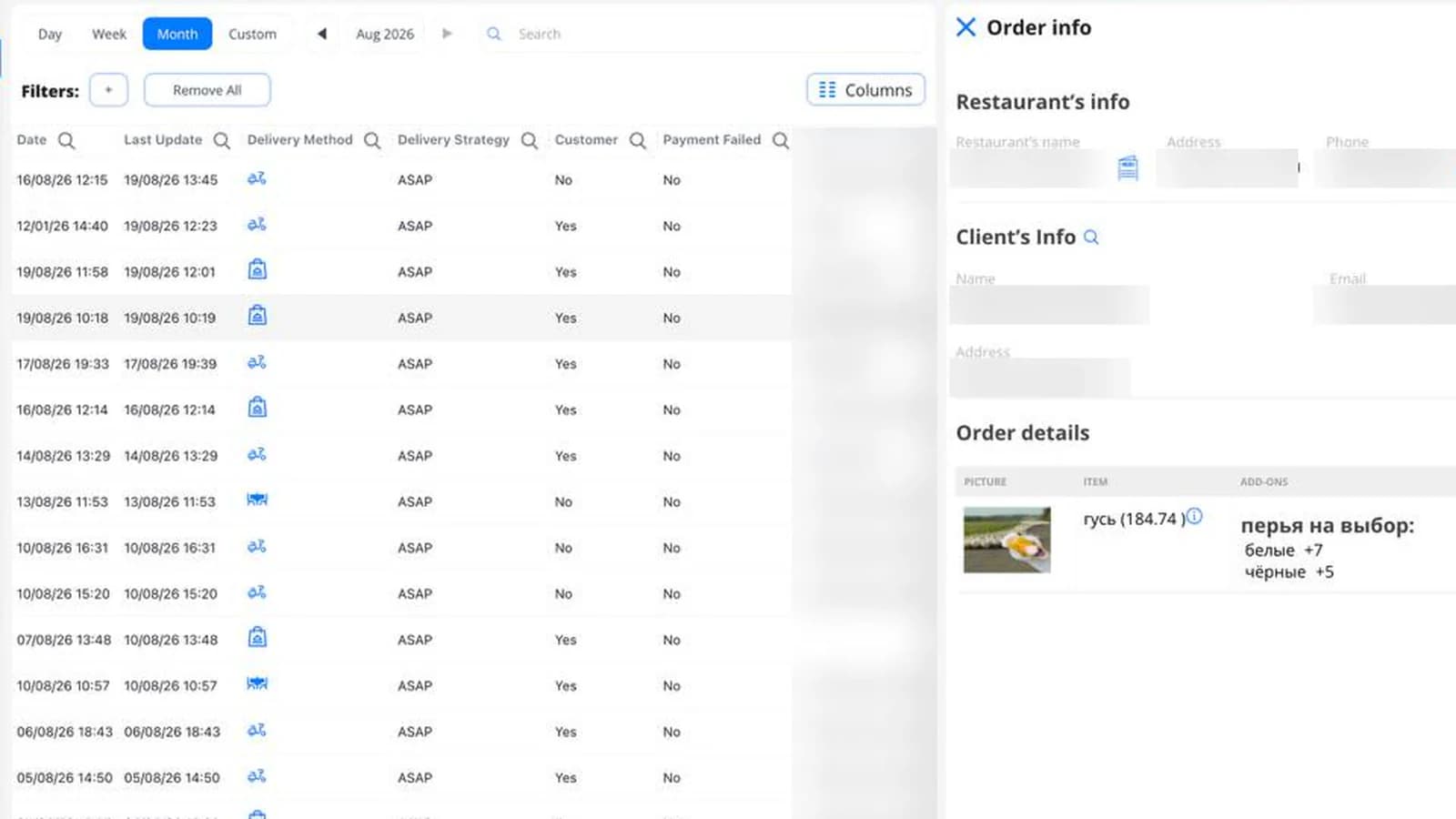
The carts that never became orders now have a screen of their own
Until now, a cart that stopped short of confirmation showed up nowhere. Now it has a screen — including a column for when it was last touched. Plus: courier pay rules can now depend on the pickup region.

Your plan, SMS, invoices and payment details, one click away
How much of your plan you've used this month, how many SMS are left, where last month's invoice is and how you pay: one page, one click from any screen.

Sales analytics, refreshed: every number against the last period
How did this week go against the last one? Sales analytics answers in one look: every number next to the period before, the channels that bring orders and revenue, every branch with its change, and one filter for the whole page.